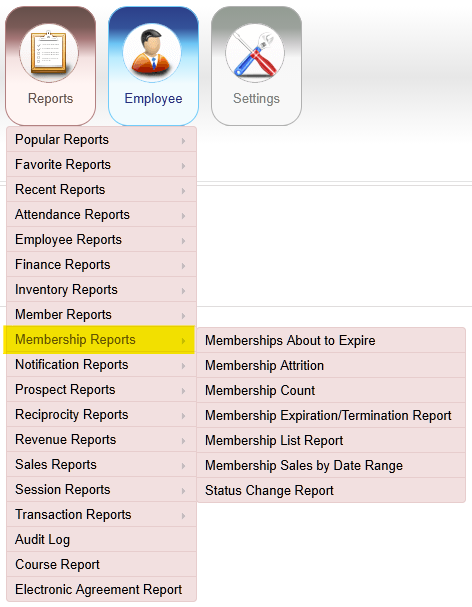
F121 – Membership Reports

Membership Reports

The image shows a software application's dashboard with various report categories related to employee and member management.

AI-generated content may be incorrect.

Membership About to Expire

Reports > Membership Reports > Membership About to Expire

Displays members whose memberships are scheduled to expire during the selected date range.
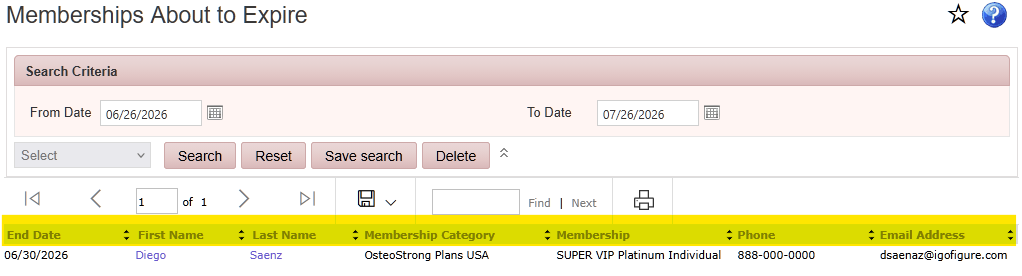
Membership About to Expire screenshot

Membership Attrition

Reports > Membership Reports > Membership Attrition

Displays membership activity for the selected period, including the number of memberships at the beginning of the month, new memberships added, memberships terminated, and the total memberships at the end of the month.
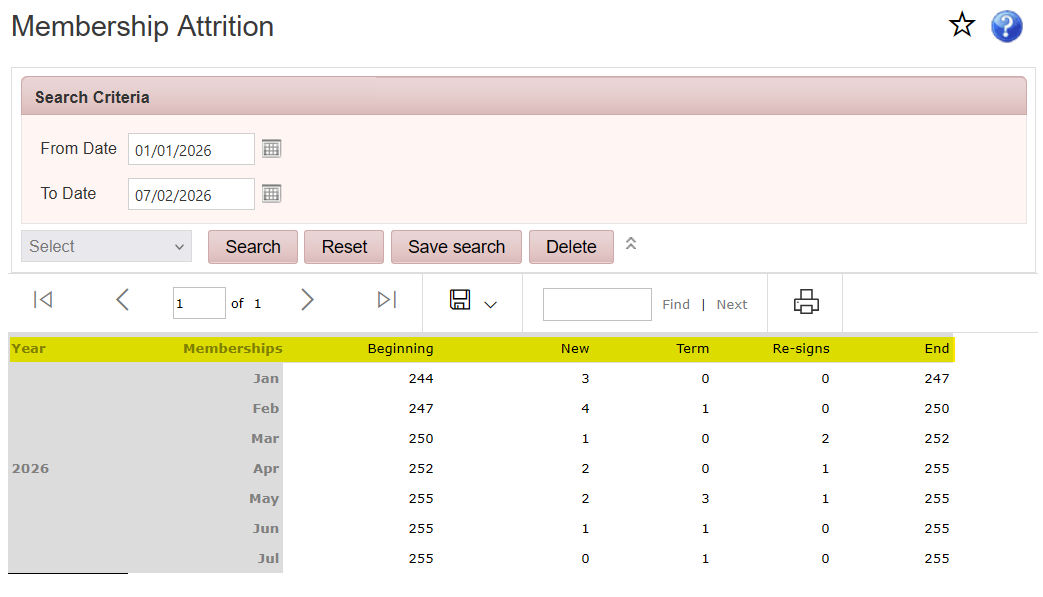
The image shows a Microsoft Excel sheet displaying membership attrition data, with columns for date, beginning, term, re-signs, and ending, along with a search and navigation interface.

AI-generated content may be incorrect.

Membership Count

Reports > Membership Reports > Membership Count

Displays the total number of memberships grouped by membership category as of the selected date.
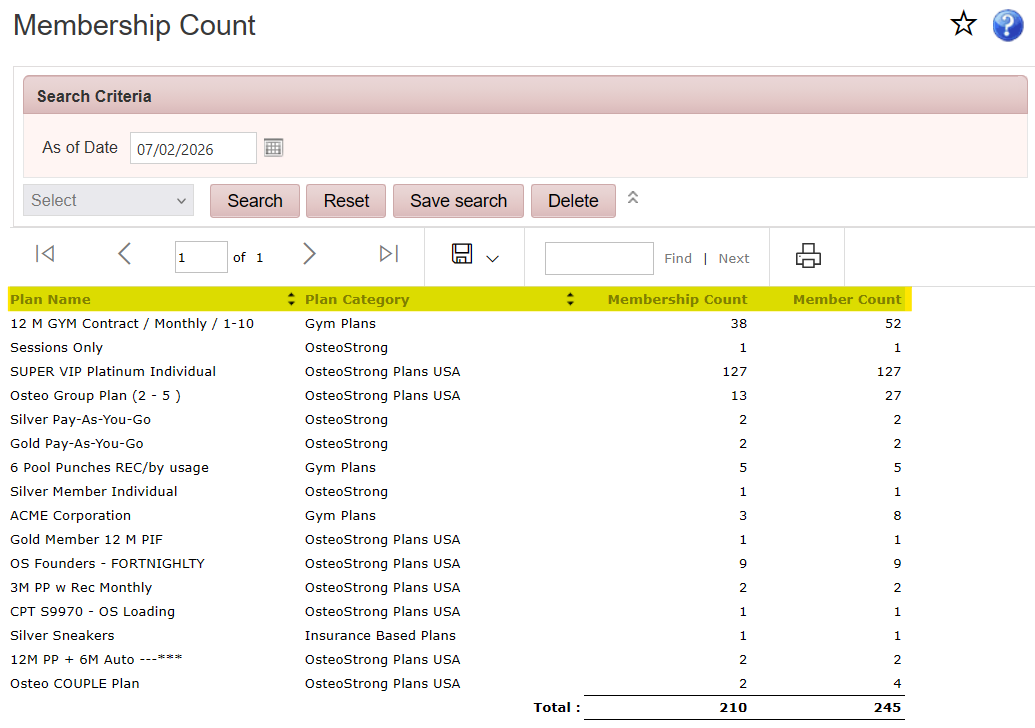
The image displays a membership count table listing various gym and wellness plans, including different membership types, plan categories, and their respective counts.

AI-generated content may be incorrect.

Membership Expiration/Termination Report

Reports > Membership Reports > Membership Expiration/Termination Report

Displays members with a scheduled membership expiration or termination during the selected date range.
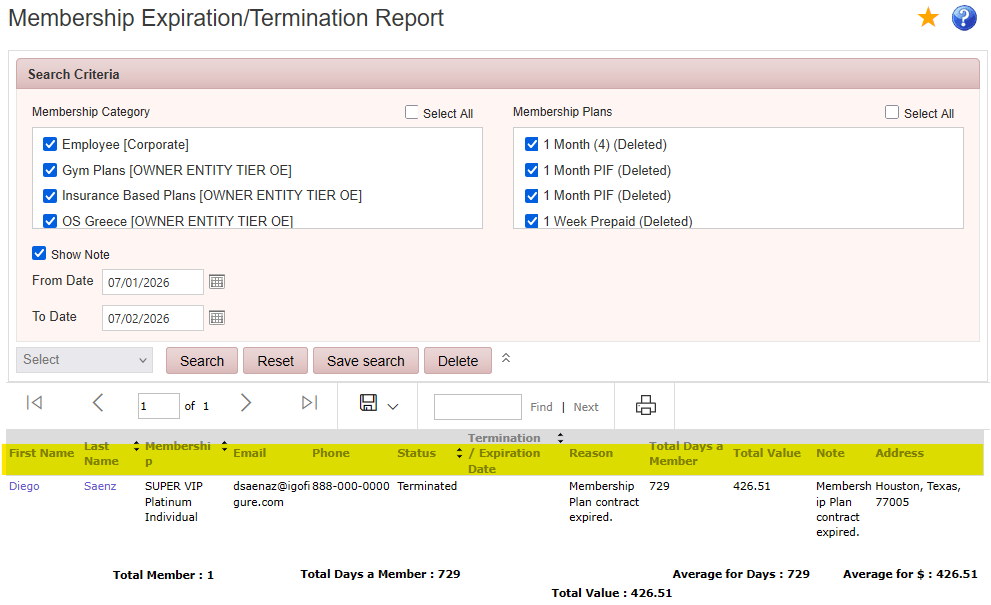
The image displays a membership expiration/termination report, showing details such as the member's name, status, termination reason, and associated costs.

AI-generated content may be incorrect.

Membership List Report

Reports > Membership Reports > Membership List Report

Displays membership categories, the number of members enrolled in each category, and the names of the associated members.
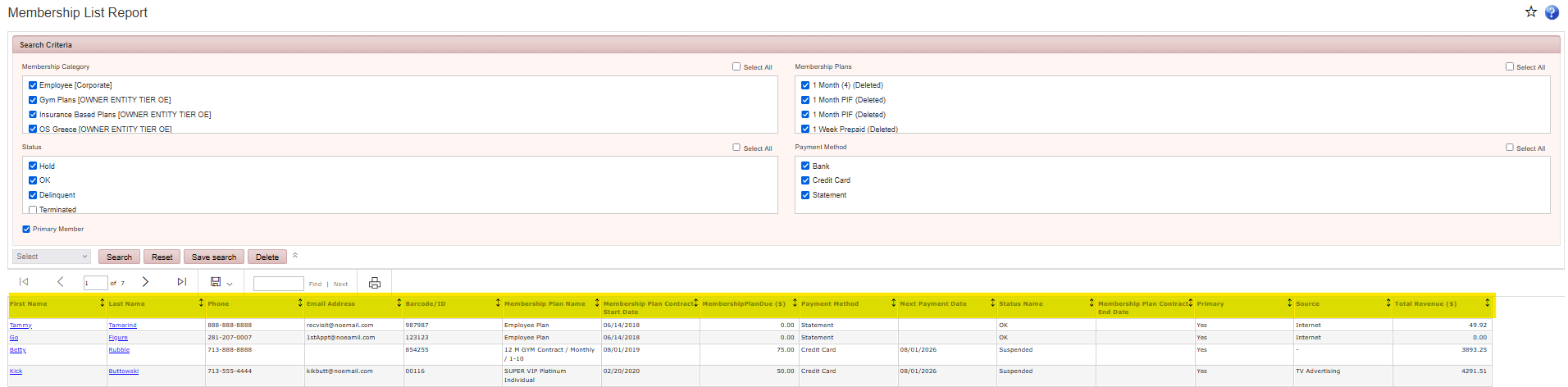
The image shows a membership list report with various categories and details such as membership plans, payment methods, member information, and status.

AI-generated content may be incorrect.

Membership Sales by Date Range

Reports > Membership Reports > Membership Sales by Date Range

Displays membership sales during the selected date range, including membership plan, category, member count, enrollment fee, dues collected at sign-up, recurring dues, payment method, member name, and membership term.
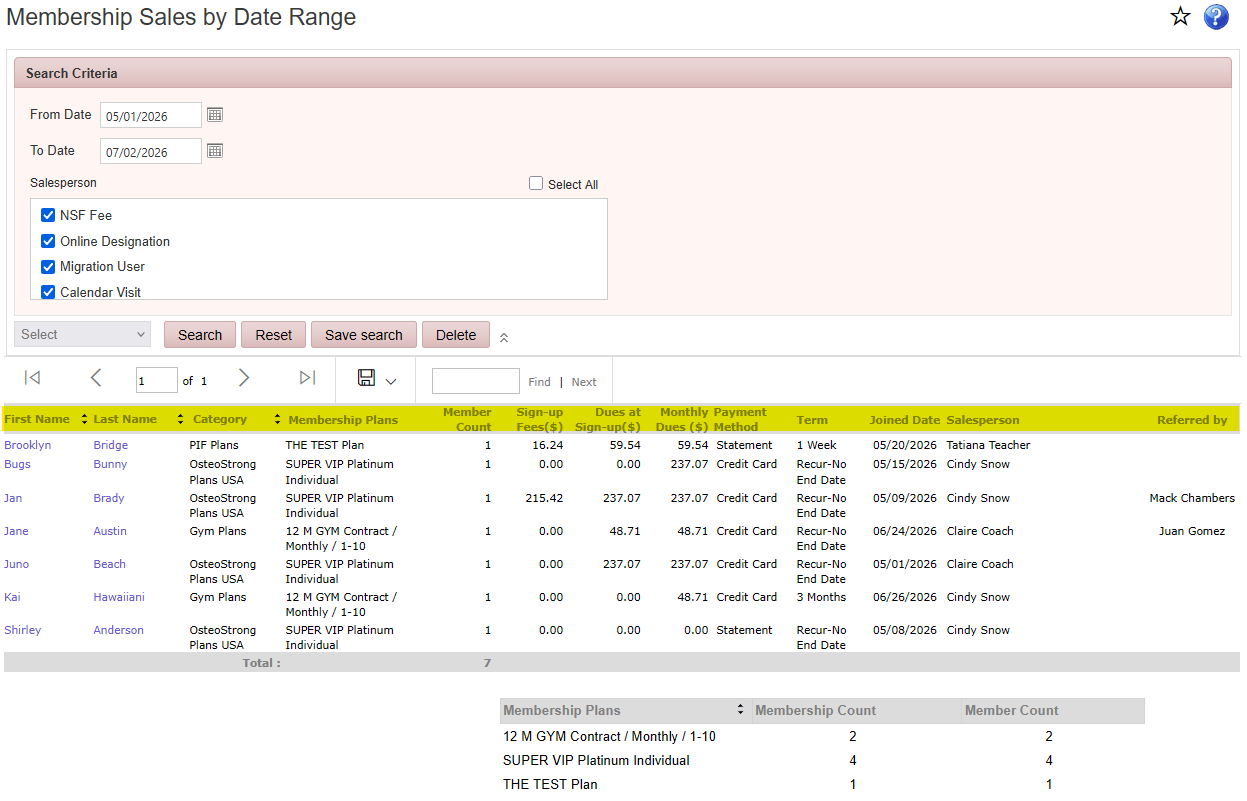
The image displays a table with various columns, including 'Membership Sales by Date Range,' 'Salesperson,' 'Category,' and 'Term.' It lists multiple members, their names, and their associated membership plans, fees, and sign-up dates.

AI-generated content may be incorrect.

Status Change Report

Reports > Membership Reports > Status Change Report

Displays members whose membership status changed during the selected date range, including the previous status, the current status, and effective date of the change.
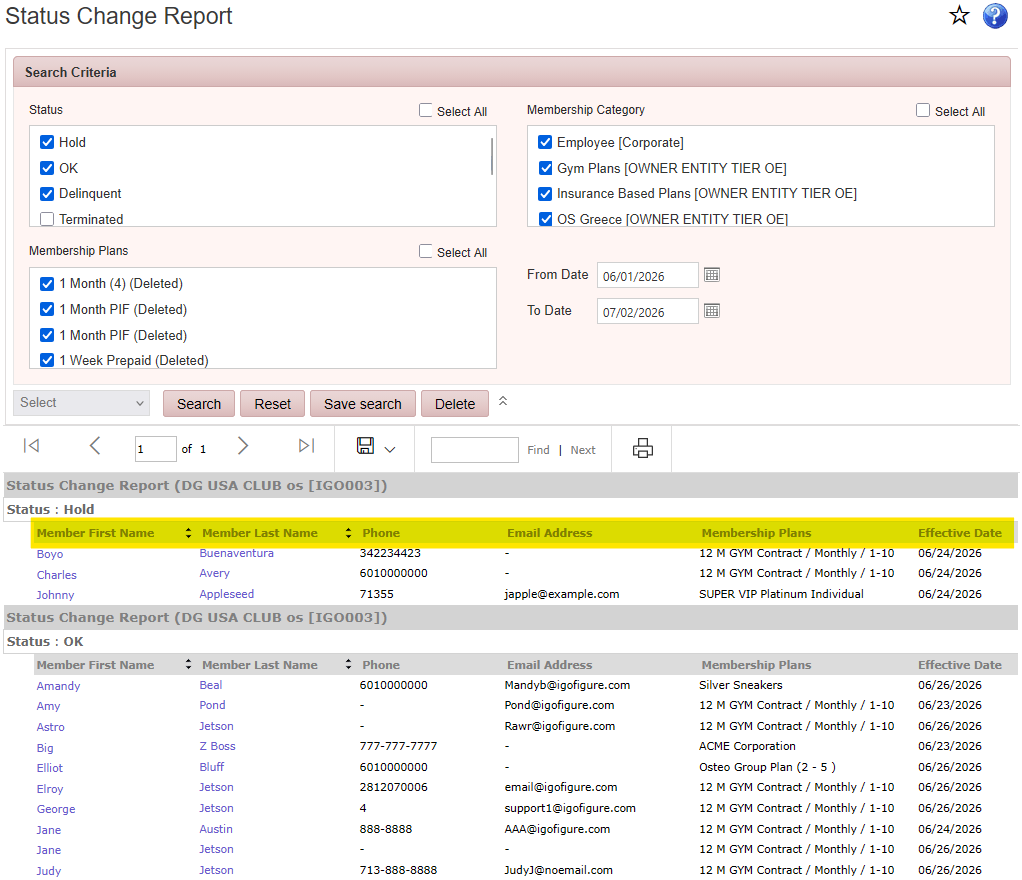
The image shows a Status Change Report with columns for Member First Name, Last Name, Phone, Email Address, Membership Plans, and Effective Date, displaying information about various members and their membership statuses.

AI-generated content may be incorrect.