F120 – Member Reports

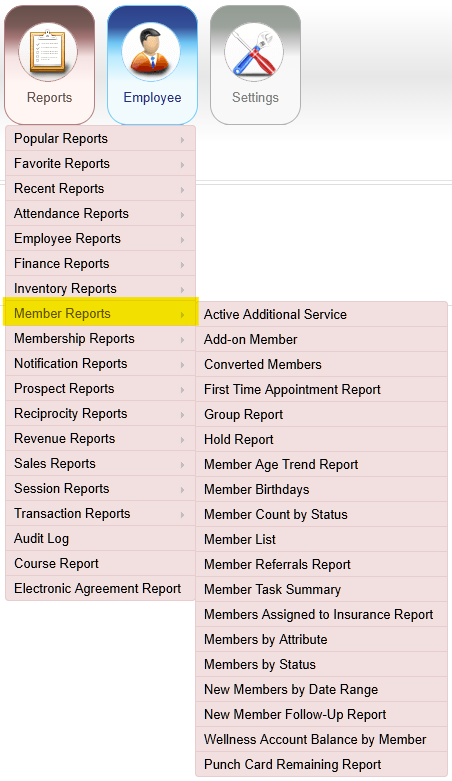
Member Reports

The image shows a menu interface for a software application, featuring various categories of reports and settings for managing members and services.

AI-generated content may be incorrect.

Active Additional Service

Reports > Member Reports > Active Additional Service

Displays members enrolled in additional services, including agreement status, amount due, and the service’s start and end dates.
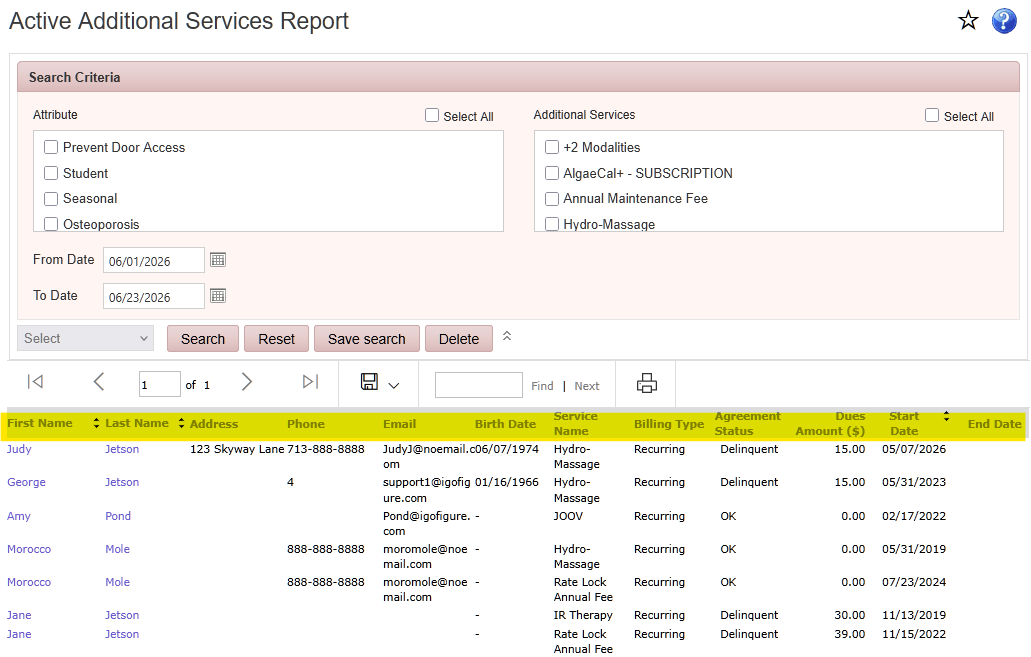
The image shows a user interface displaying an Active Additional Services Report, with a list of clients, services, and their details, including dates, amounts, and status.

AI-generated content may be incorrect.

Add-on Member

Reports > Member Reports > Add-on Member

Displays members linked to another member's account, including membership dues, membership status, and the associated primary member.
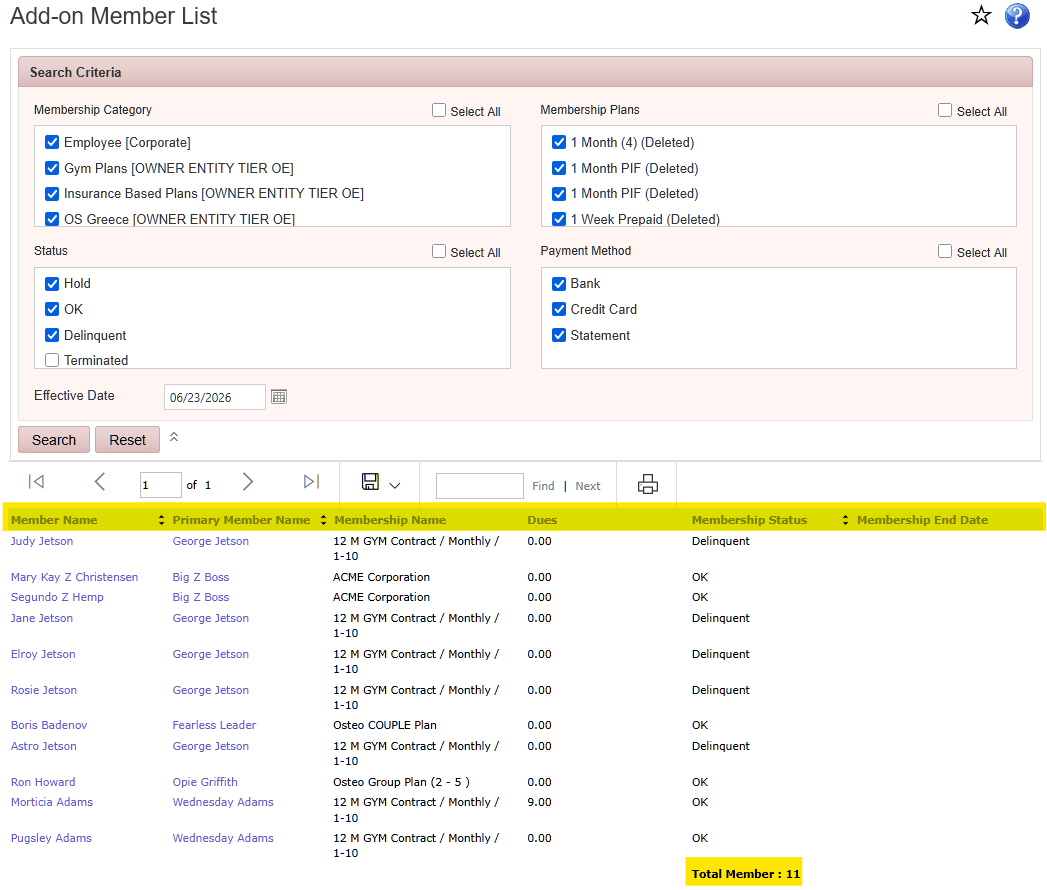
Add-on Member screenshot

Converted Reports

Reports > Member Reports > Converted Members

Displays members who have been converted to a different membership plan including amount paid and date converted.
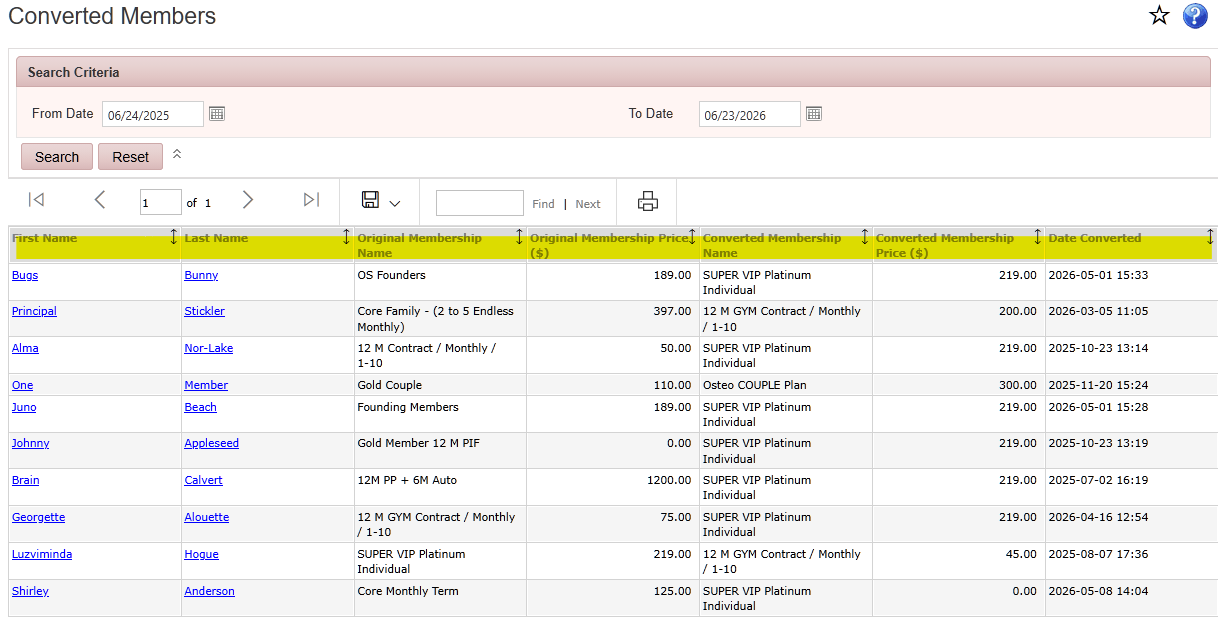
Converted Reports screenshot

Group Report

Reports > Member Reports > Group Report

Displays members assigned to group discounts, including details of enrollment fee, and membership dues discounts.
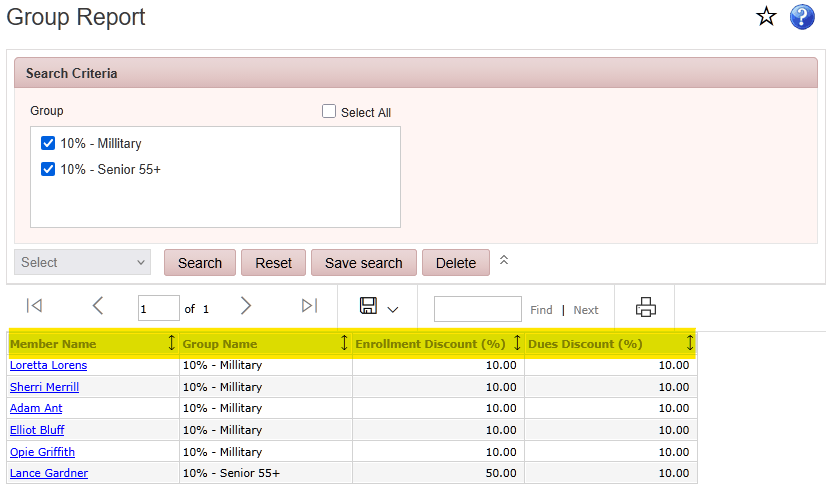
The image is a webpage interface showing a group report with various members' names, their search criteria (Military and Senior 55+), and their respective enrollment and dues discounts.

AI-generated content may be incorrect.

Hold Report

Reports > Member Reports > Hold Report

Displays members currently on hold, including membership plan, hold start date, hold end date, and any applicable hold fees.
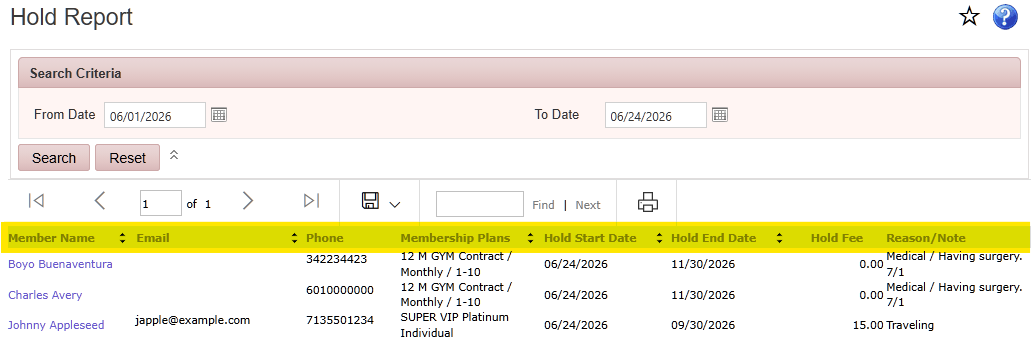
The image displays a table in a Hold Report form, listing various members' contact information, hold details, and reasons for holding, such as medical reasons or membership plans.

AI-generated content may be incorrect.Member Age Trend Report

Reports > Member Reports > Member Age Trend Report

Displays member ages, birthdays, membership types, and membership statuses for the selected criteria.
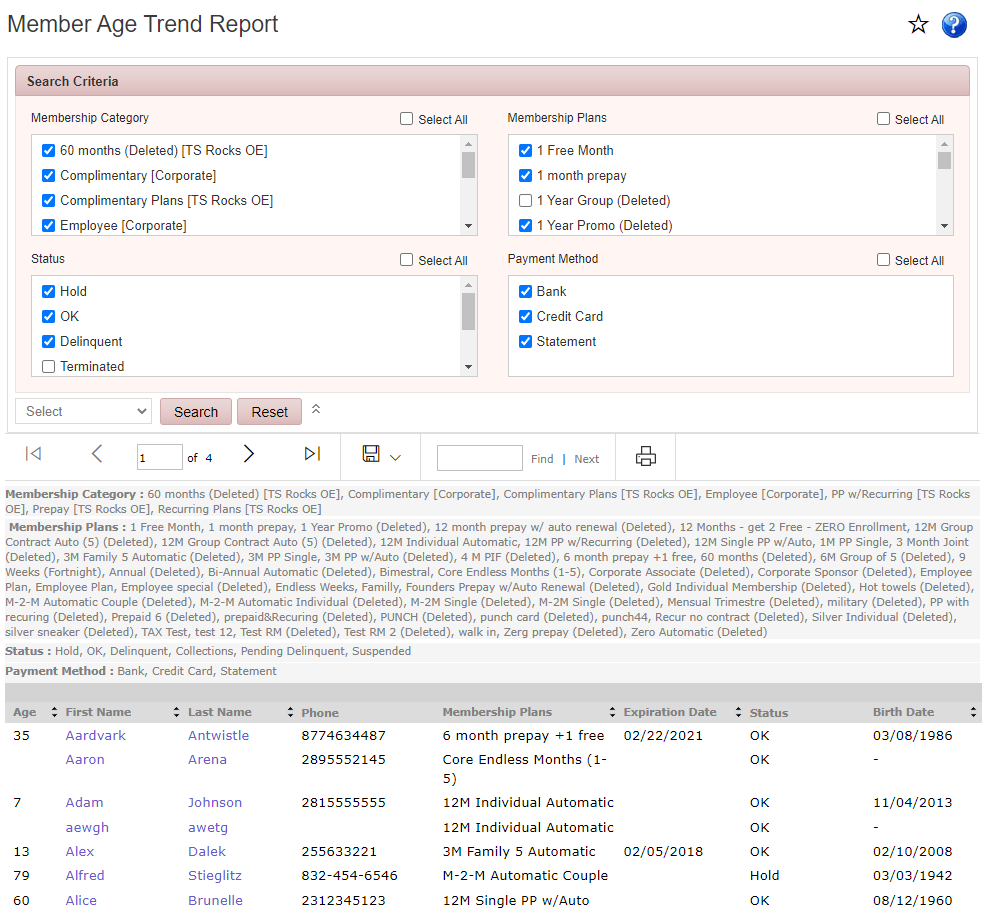
Member Age Trend Report screenshot

Member Birthdays

Reports > Member Reports > Member Birthdays

Displays members whose birthdays occur during the selected month.
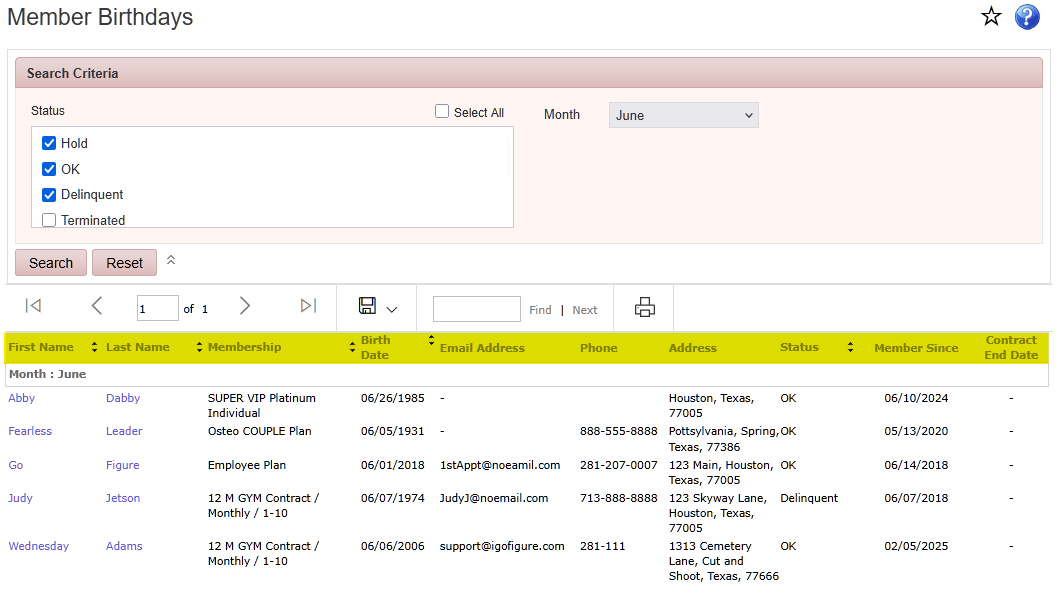
The image shows a birthday reminder list for members, with their details and statuses, specifically for those born in June.

AI-generated content may be incorrect.

Member Count by Status

Reports > Member Reports > Member Count by Status

Displays the total number of enrolled members and summarizes how many members are assigned to each membership status.
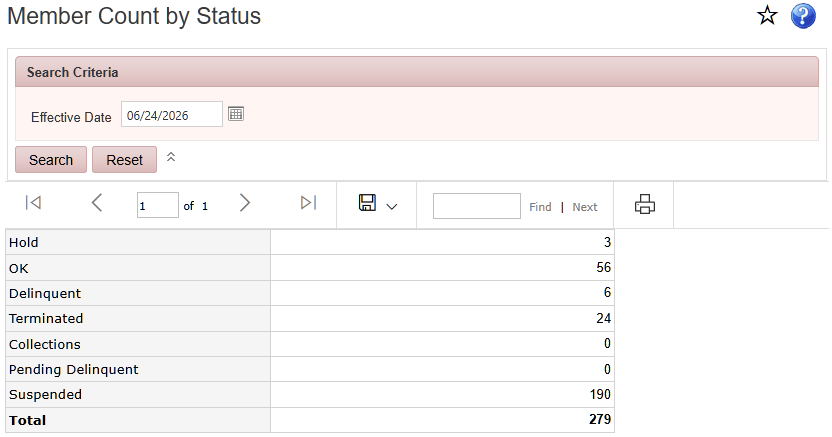
The image displays a table or form with various statuses such as 'Hold,' 'OK,' and 'Terminated,' and it includes numerical data and search options.

AI-generated content may be incorrect.

Member List

Reports > Member Reports > Member List

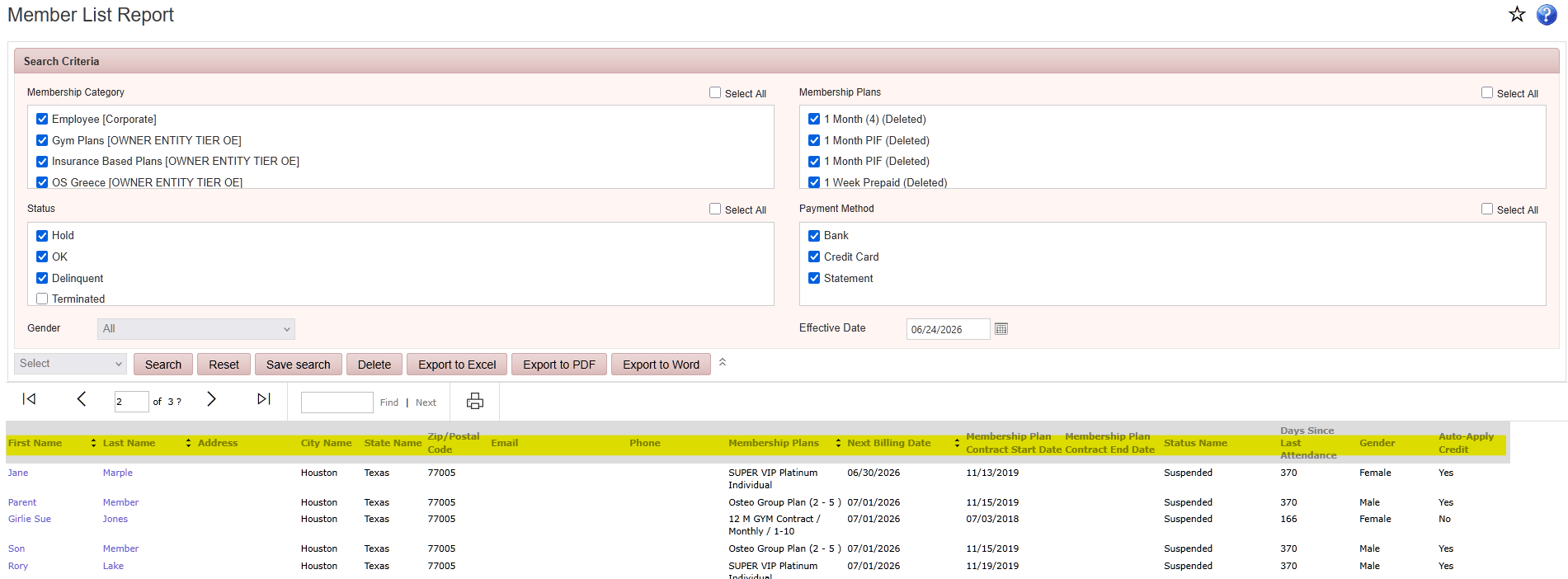
Displays member information, including membership status, membership plan, join date, contact information, and next billing date for the selected date range.

This report includes the following additional columns when exported to Excel.
•Barcode/ID
•Source
•Country
•Mobile Phone
•Date Joined
•Company (Employer)

The image shows a member list report with details such as member names, membership plans, statuses, and various other information fields.

AI-generated content may be incorrect.

Excel:

The image displays a Microsoft Excel sheet with a list of customer data, including personal details, membership information, and status, arranged in columns and rows.

AI-generated content may be incorrect.

Member Referrals Report

Reports > Member Reports > Member Referrals Report

Displays members who referred new members during the selected date range.
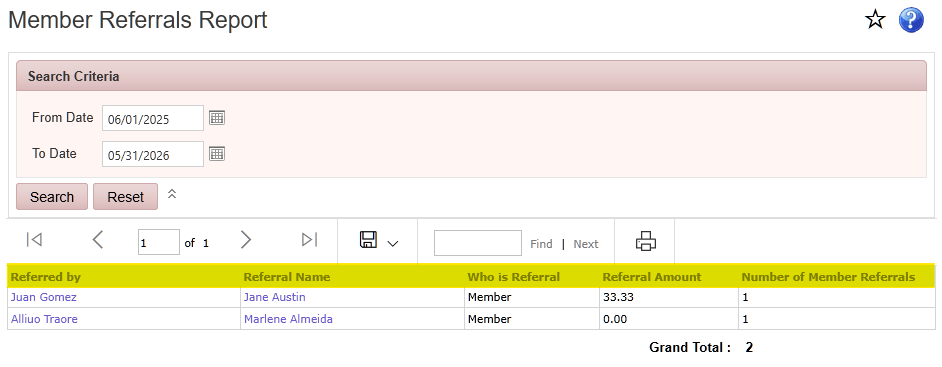
The Member Referrals Report shows referrals for Juan Gomez and Alliuo Traore, with a total of two referrals.

AI-generated content may be incorrect.

Member Task Summary

Reports > Member Reports > Member Task Summary

Displays member tasks assigned during the selected date range, including the assigned employee, task start and end times, and task results.
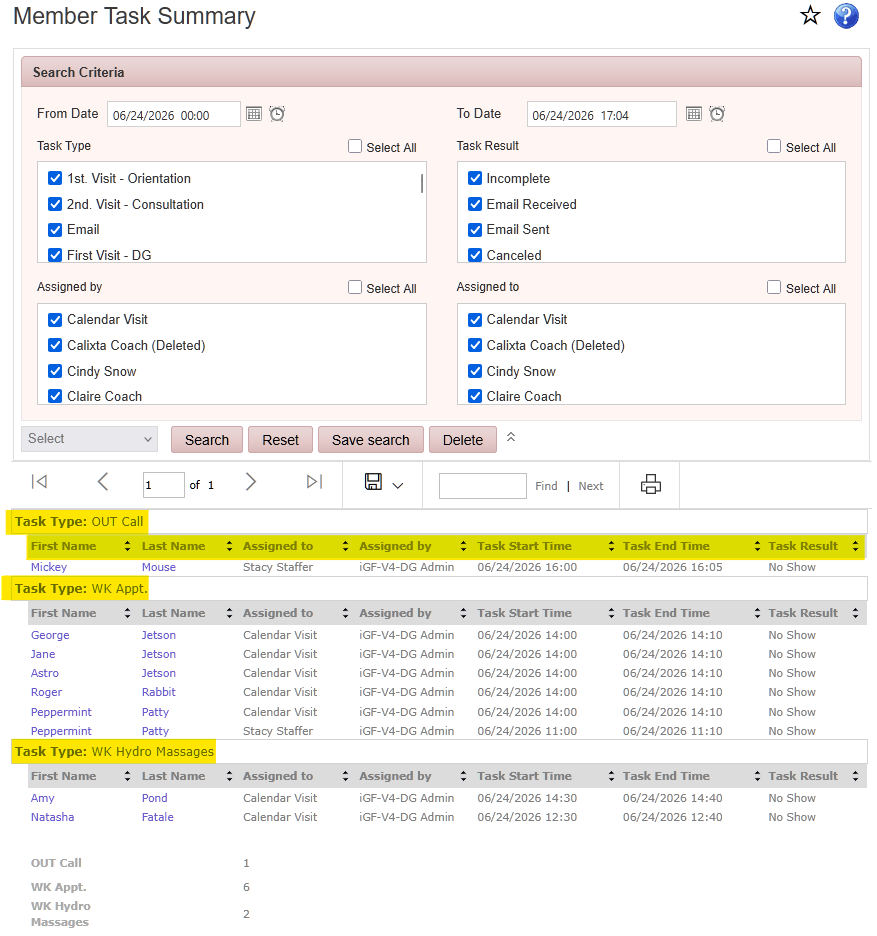
The image shows a task summary screen with various tasks, their assigned individuals, dates, and statuses.

AI-generated content may be incorrect.

Members Assigned to Insurance Report

Reports > Member Reports > Members Assigned to Insurance Report

Displays members assigned to an insurance program, including attendance totals and wellness account balances for the selected date range.
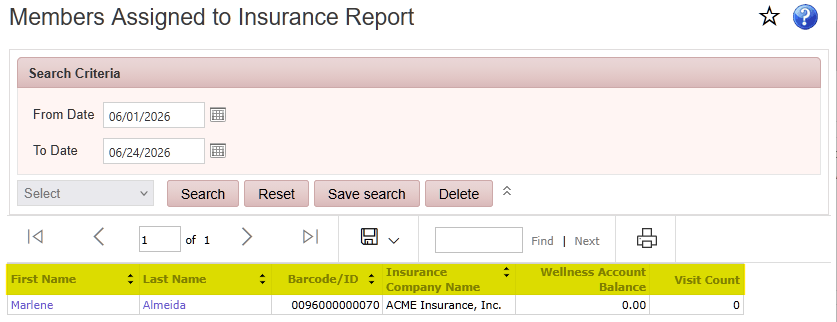
The image displays a form for a Member Assigned to Insurance Report, with fields for search criteria, member details, and insurance information, and options to search, save, delete, or navigate to the next record.

AI-generated content may be incorrect.

Members by Attribute

Reports > Member Reports > Members by Attribute

Displays members assigned to a selected attribute, grouped by attribute, including agreement type, last visit date, and attendance information for the selected date range.
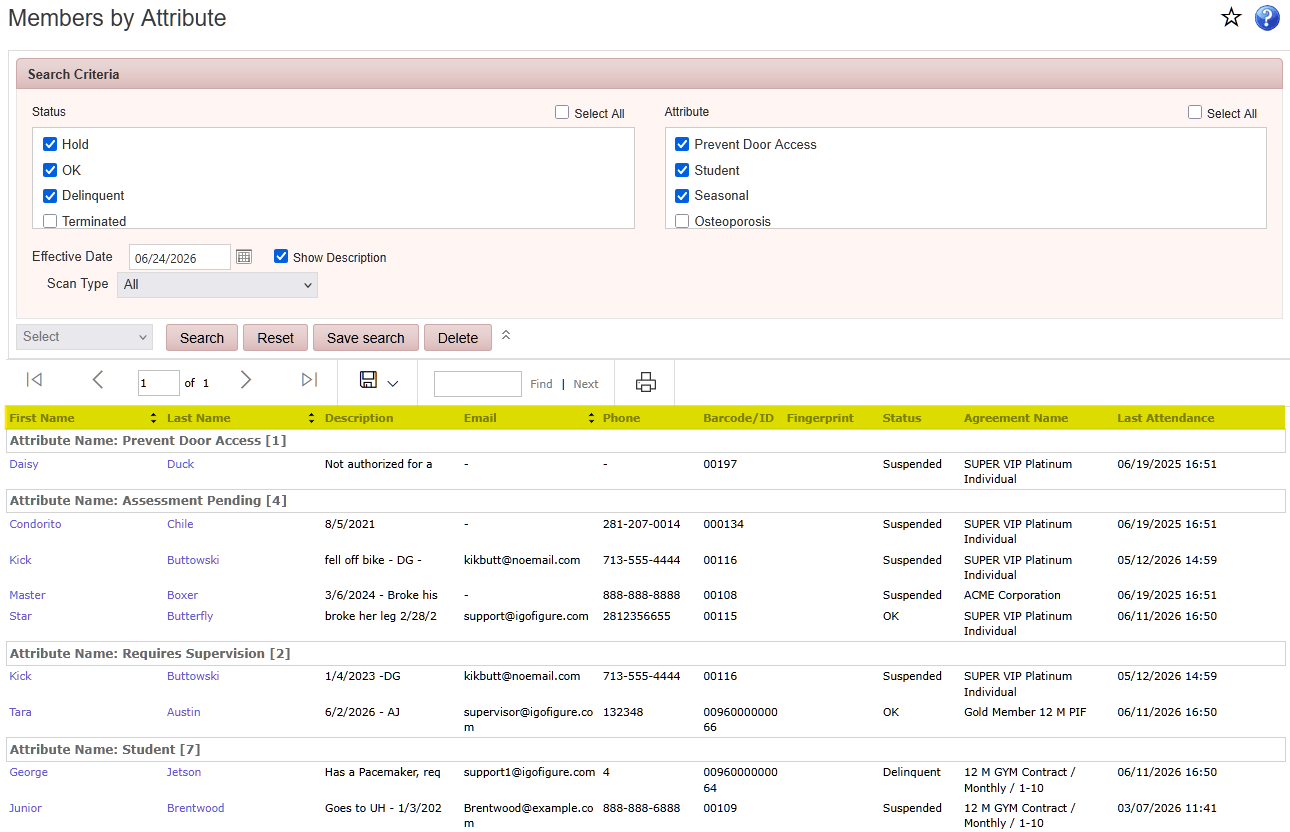
The image shows a table or form listing various members with attributes such as their names, statuses, and additional information like contact details and assessment dates.

AI-generated content may be incorrect.

Members by Status

Reports > Member Reports > Members by Status

Displays members grouped by membership status, including membership category, membership plan, and the effective date of the current status.
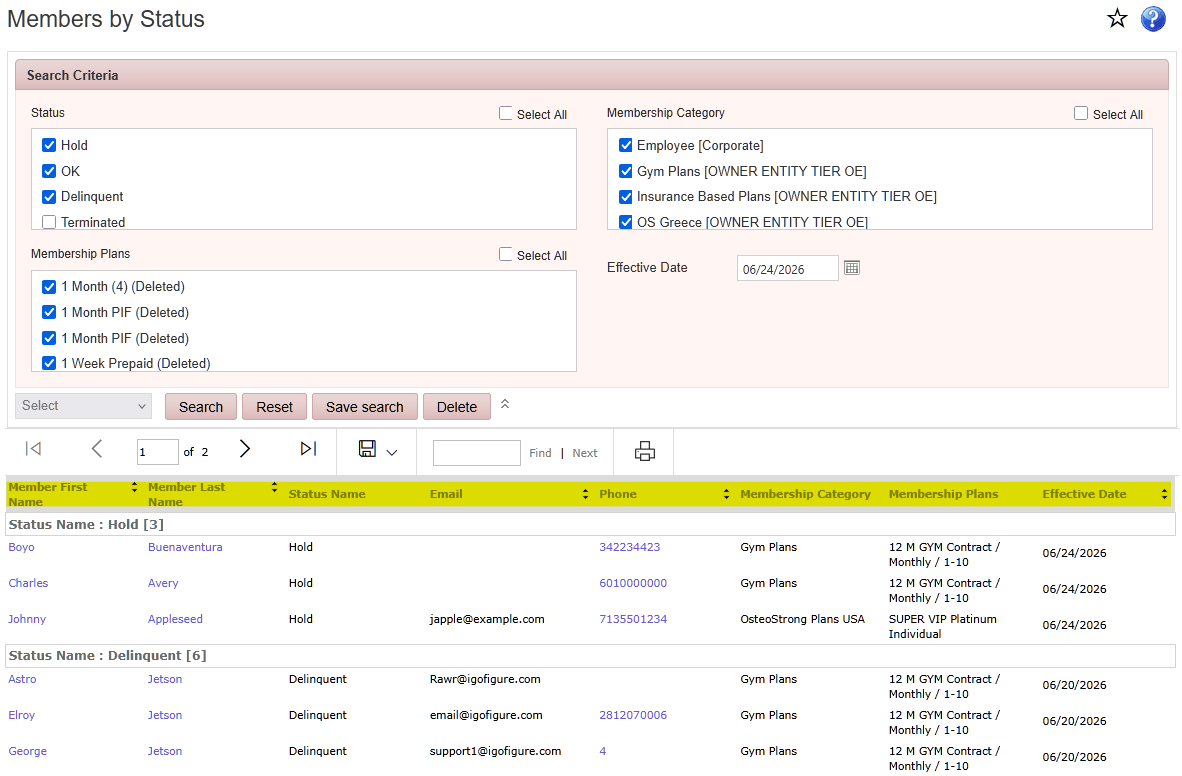
The image shows a membership management screen displaying various members' names, statuses (Hold or Delinquent), contact information, and related gym plans.

AI-generated content may be incorrect.

New Members by Date Range

Reports > Member Reports > New Members by Date Range

Displays members who joined during the selected date range, including membership type, contact information, salesperson, join date, and advertising source.
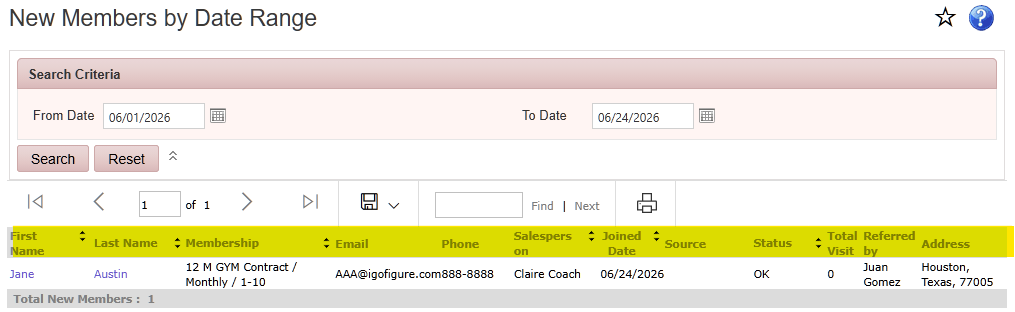
New Members by Date Range screenshot

New Member Follow-Up Request

Reports > Member Reports > New Member Follow-Up Request

Displays members who joined the club within the previous one to three weeks and may require follow-up.

Wellness Account Balance by Member

Reports > Member Reports > Wellness Account Balance

Displays the current wellness account balance for each member during the selected reporting period.
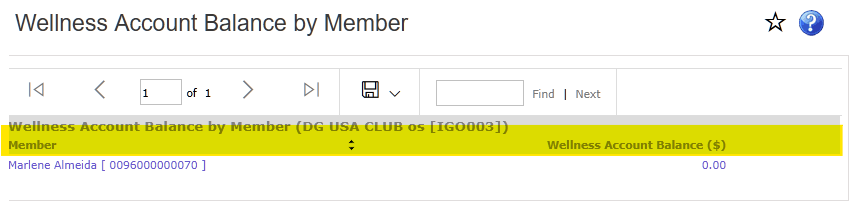
The image shows a webpage displaying a member's wellness account balance, with the member's name, Marlene Almeida, and an account balance of $0.00.

AI-generated content may be incorrect.

Punch Card Remaining Report

Reports > Member Reports > Punch Card Remaining Report

Displays members with active punch cards, including the remaining visits or punches available on each card.
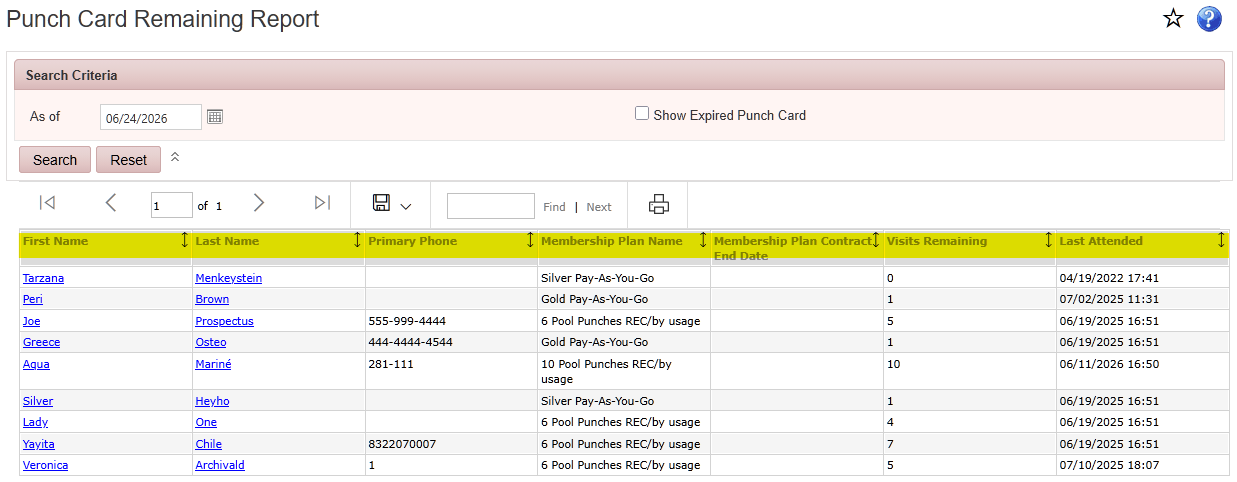
The image displays a table or list of punch cards, with columns for names, membership plans, and remaining pool punches, sorted by usage.

AI-generated content may be incorrect.
