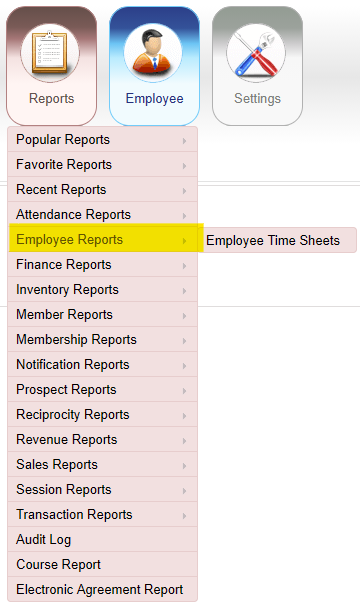
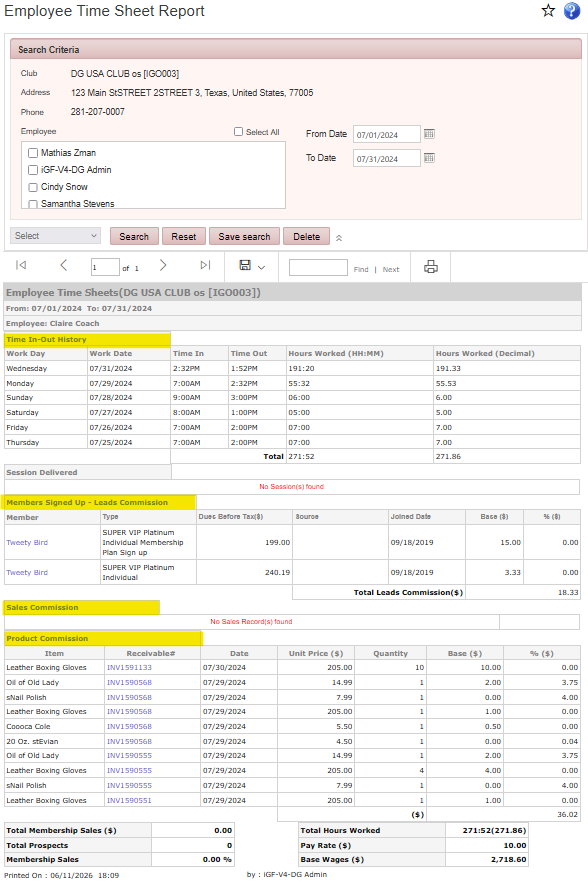
Reports > Employee Reports > Employee Time Sheets
Displays employee time clock activity for the selected date range, including clock-in and clock-out times, total hours worked, commissions, membership sales totals, wages, sessions delivered, pay rate, and prospects entered.
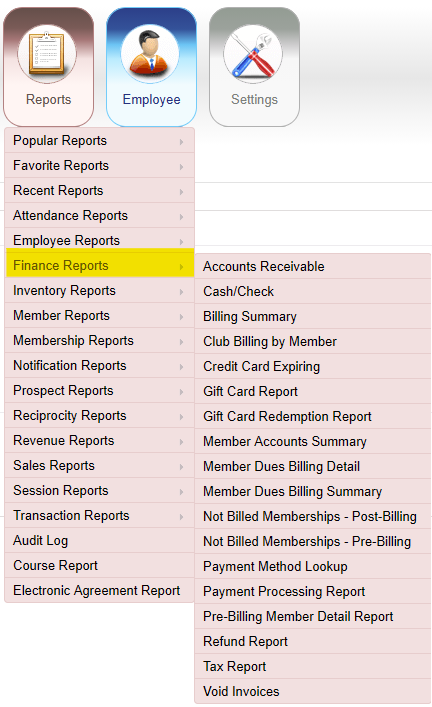
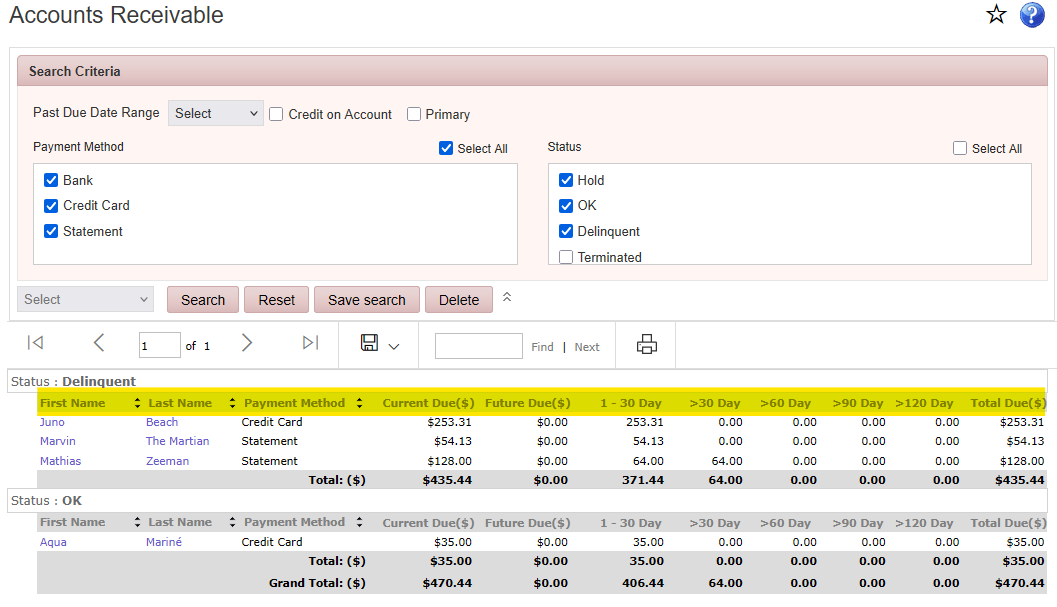
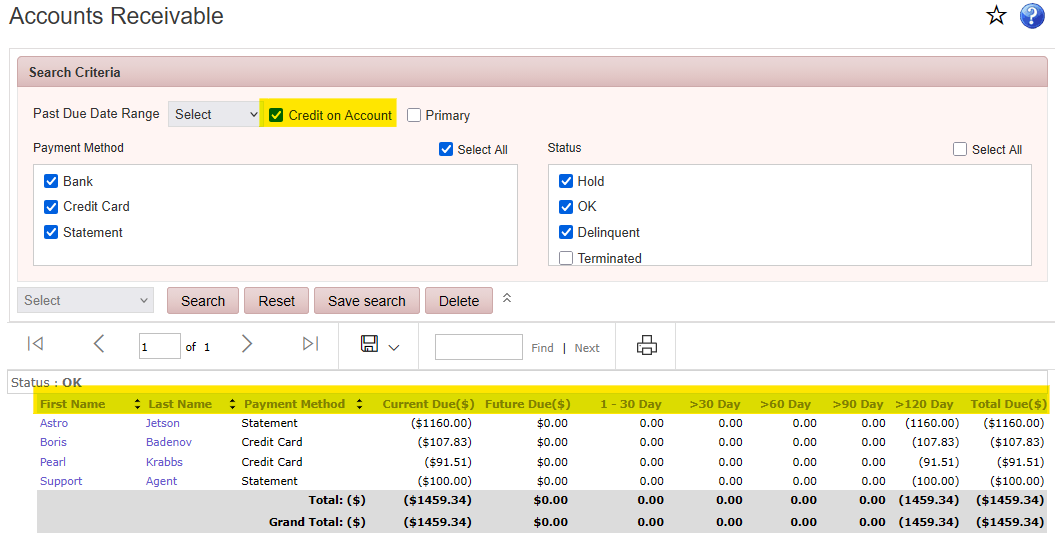
Reports > Finance Reports > Accounts Receivable
Displays outstanding member balances for the selected date range. Results can be filtered by member status and payment method. This report can also show members with credit on their account.
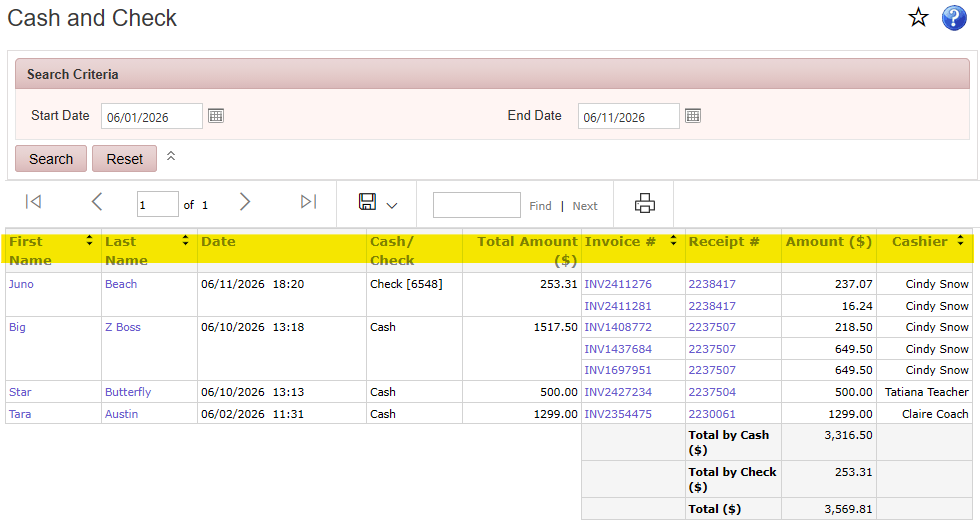
Reports > Finance Reports > Cash/Check
Displays payments made by cash or check during the selected date range, including the member’s name, payment amount, invoice number, receipt number, and cashier.
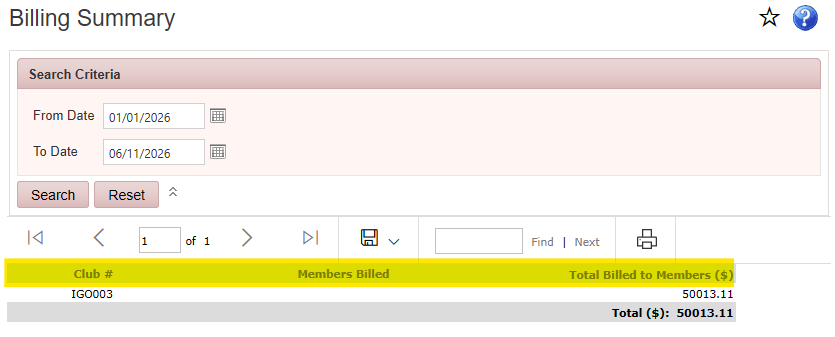
Reports > Finance Reports > Billing Summary
Displays the total number of members billed and the total amount billed during the selected date range.
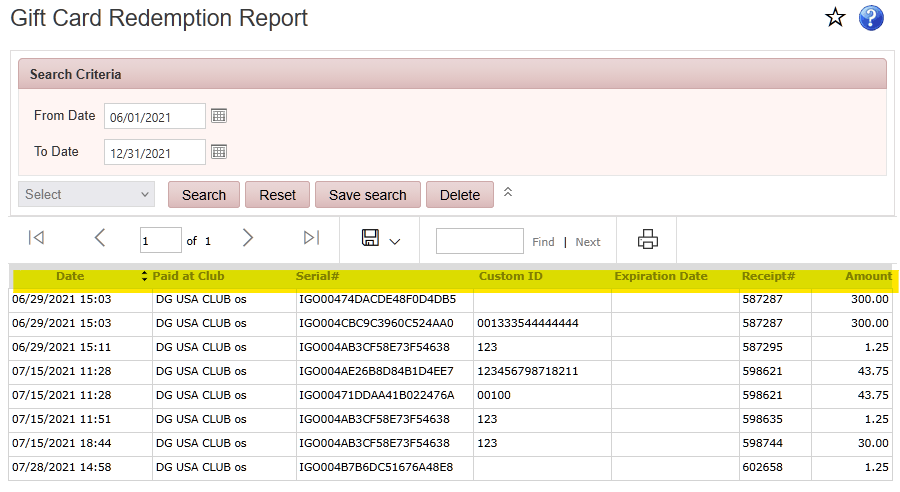
Reports > Finance Reports > Club Billing by Member
Displays the amount billed to each member during the selected date range.
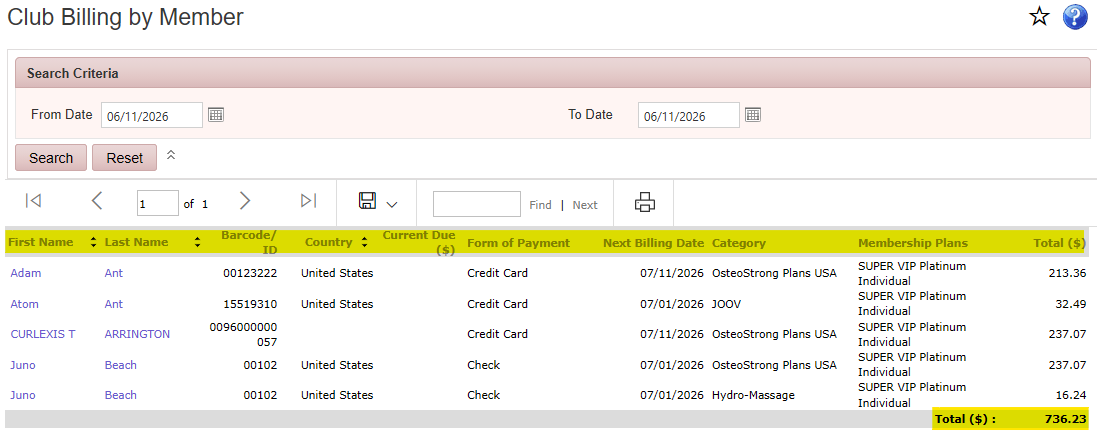
Reports > Finance Reports > Credit Card Expiring
Displays members whose credit cards will expire during the selected date range, including the member’s name, credit card type, last four digits of the card number, and expiration date.
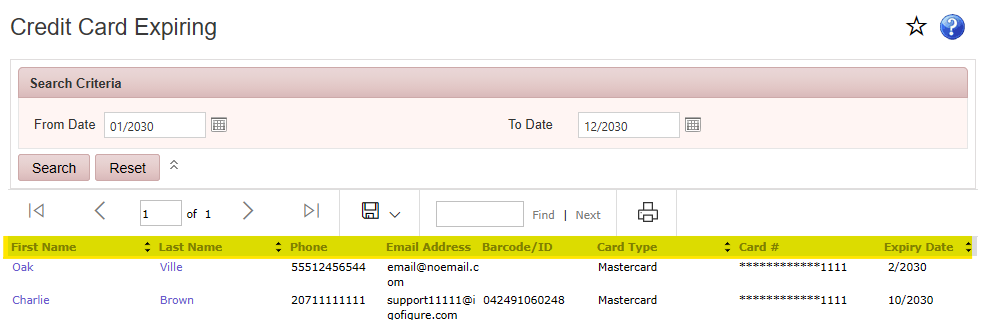
Reports > Finance Reports > Gift Card Report
Displays gift card transactions for the selected date range, including gift card activity, transaction details, and associated member information.
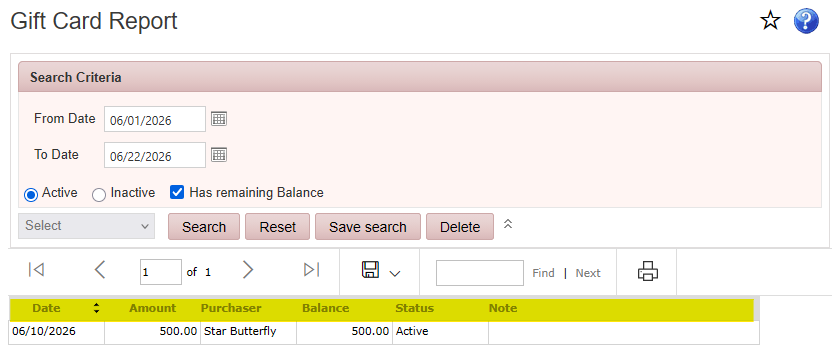
Reports > Finance Reports > Gift Card Redemption Report
Displays gift card redemption transactions during the selected date range, including the gift card serial number, Custom ID, redemption amount, and transaction details.
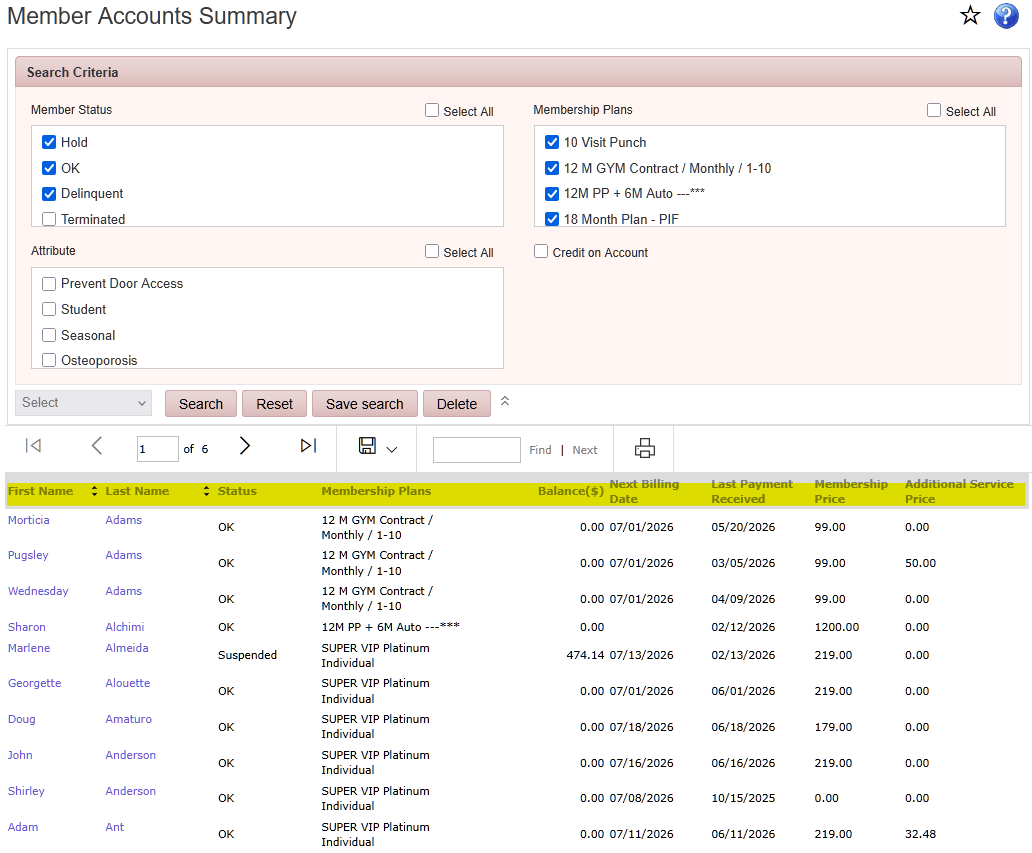
Reports > Finance Reports > Member Accounts Summary
Displays member names, membership statuses, membership plans, account balances, next billing dates, and last payment dates.
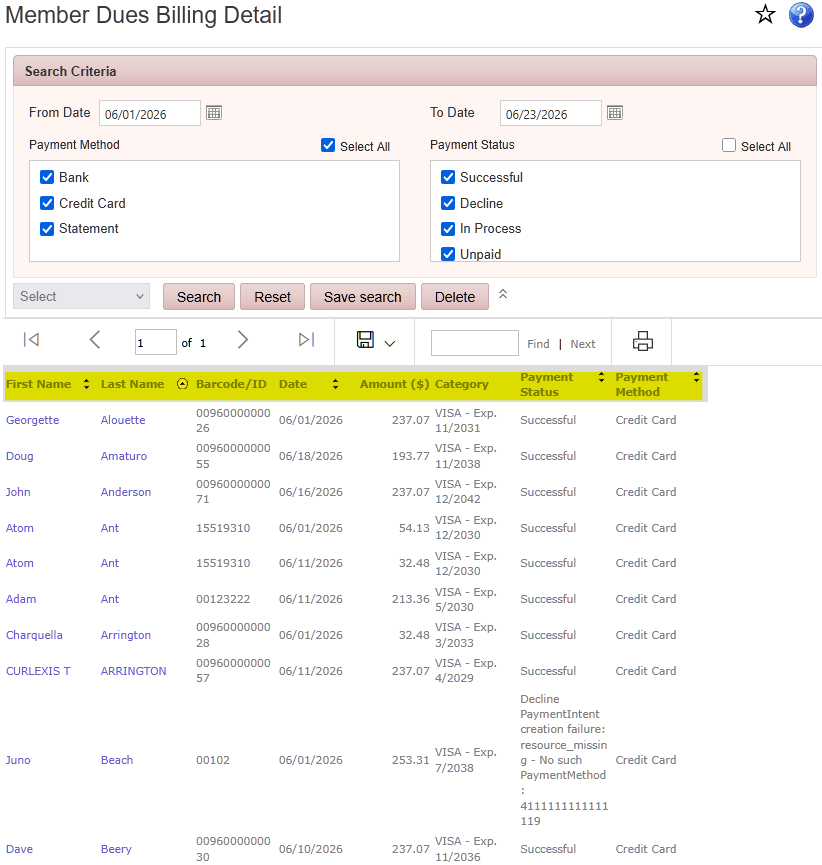
Reports > Finance Reports > Member Dues Billing Detail
Displays member billing details for the selected billing period, including amount due, payment status, payment method, and processing results.
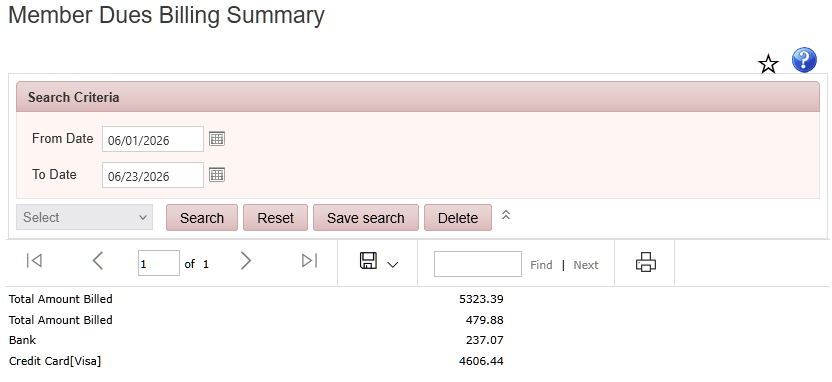
Reports > Finance Reports > Member Dues Billing Summary
Displays billing totals for the selected billing period, including total amount billed, total declined payments, and payment totals by payment method.
Reports > Finance Reports > Not Billed Memberships – Post-Billing
Displays members who were not billed after the billing date, including membership type, account balance, membership status, next payment date, last billing date, and the reason billing was skipped.
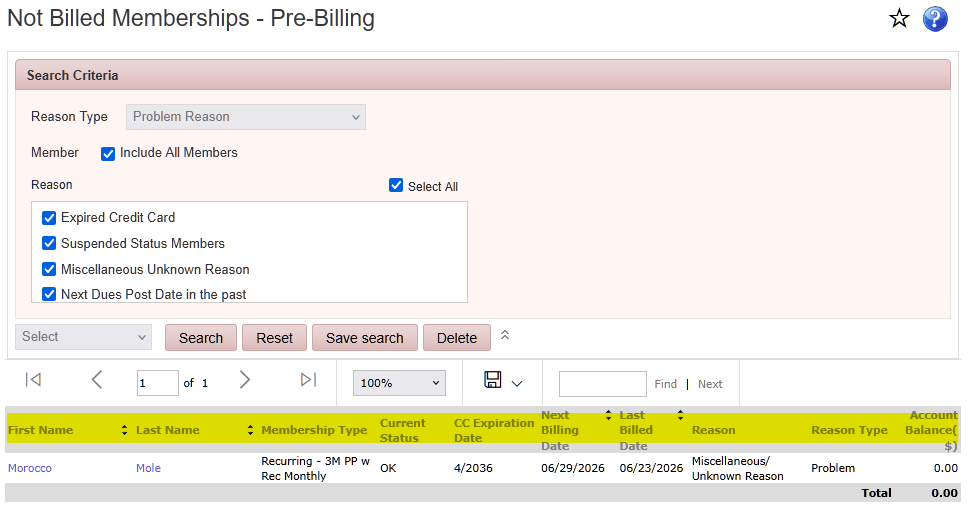
Reports > Finance Reports > Not Billed Memberships – Pre-Billing
Displays members who will not be billed on the next billing date, including membership type, account balance, membership status, next payment date, last payment date, and the reason billing will not occur.
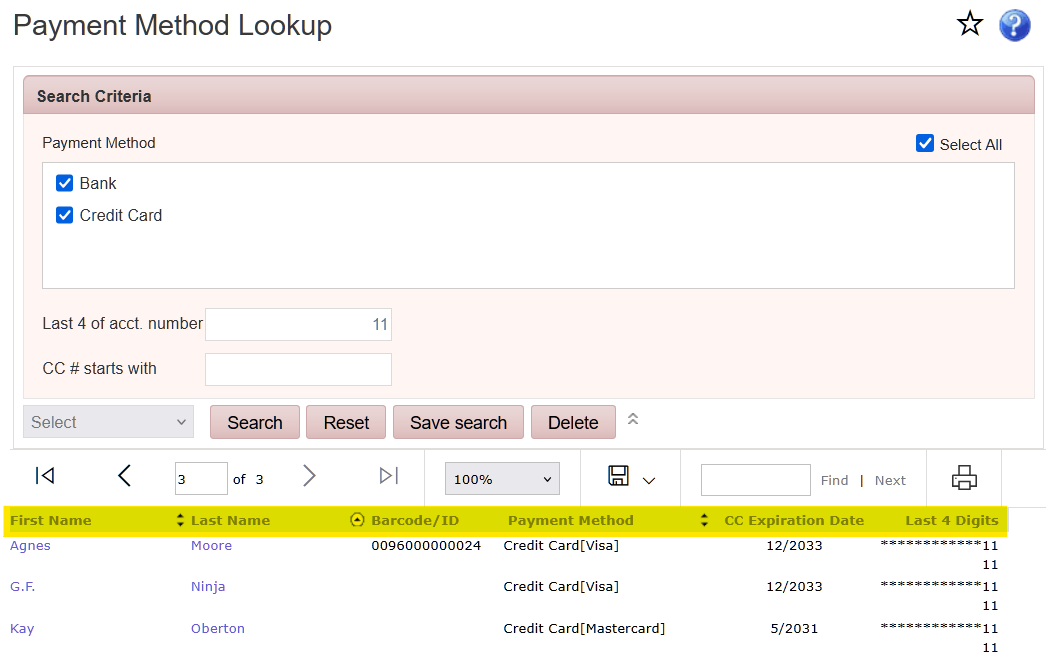
Reports > Finance Reports > Payment Method Lookup
Displays members, their ID number, and the payment methods currently assigned to their membership records. Searchable by the last 4 numbers of the account and the first 4 digits of the credit card.
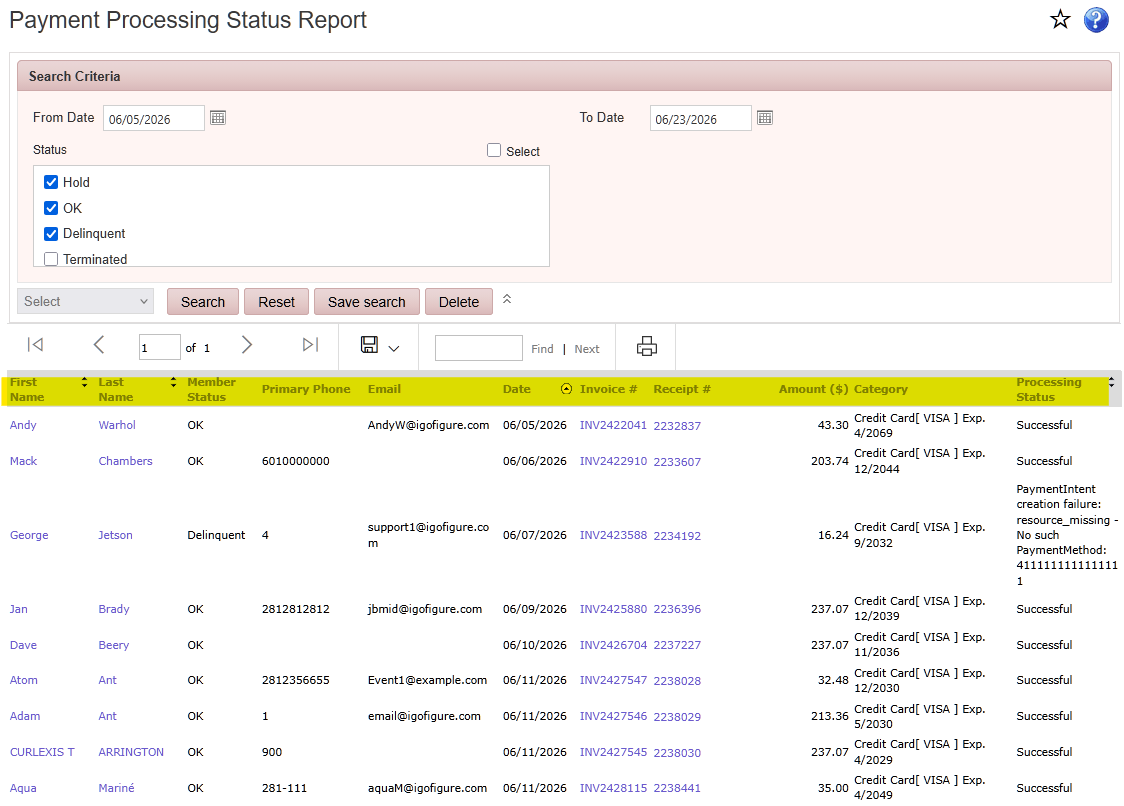
Reports > Finance Reports > Payment Processing Report
Displays payment processing activity for the selected date range, including payment status, and whether each transaction was processed successfully.
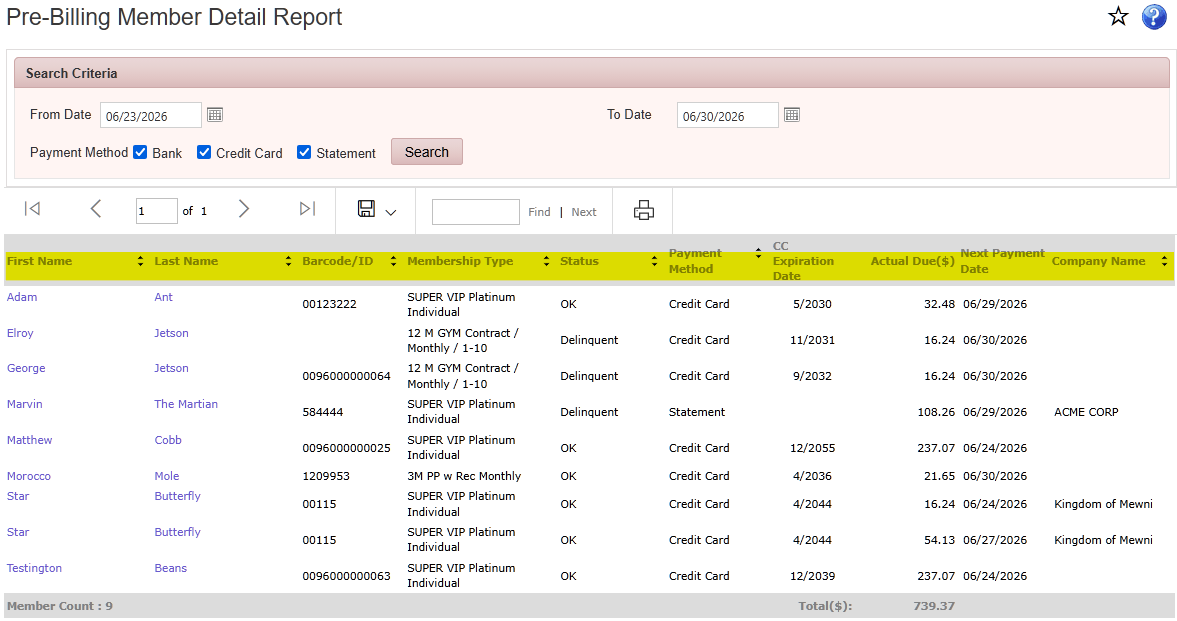
Reports > Finance Reports > Pre-Billing Member Detail Report
Displays members scheduled for billing, including membership type, membership status, payment method, amount due, and next payment date.
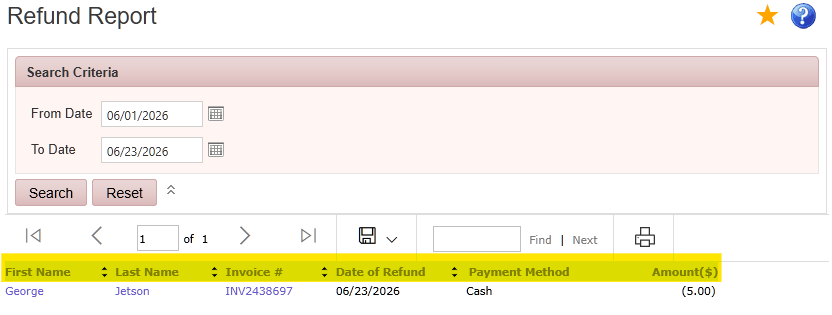
Reports > Finance Reports > Refund Report
Displays refunds issued during the selected date range, including member name, refund amount, payment method, and transaction details.
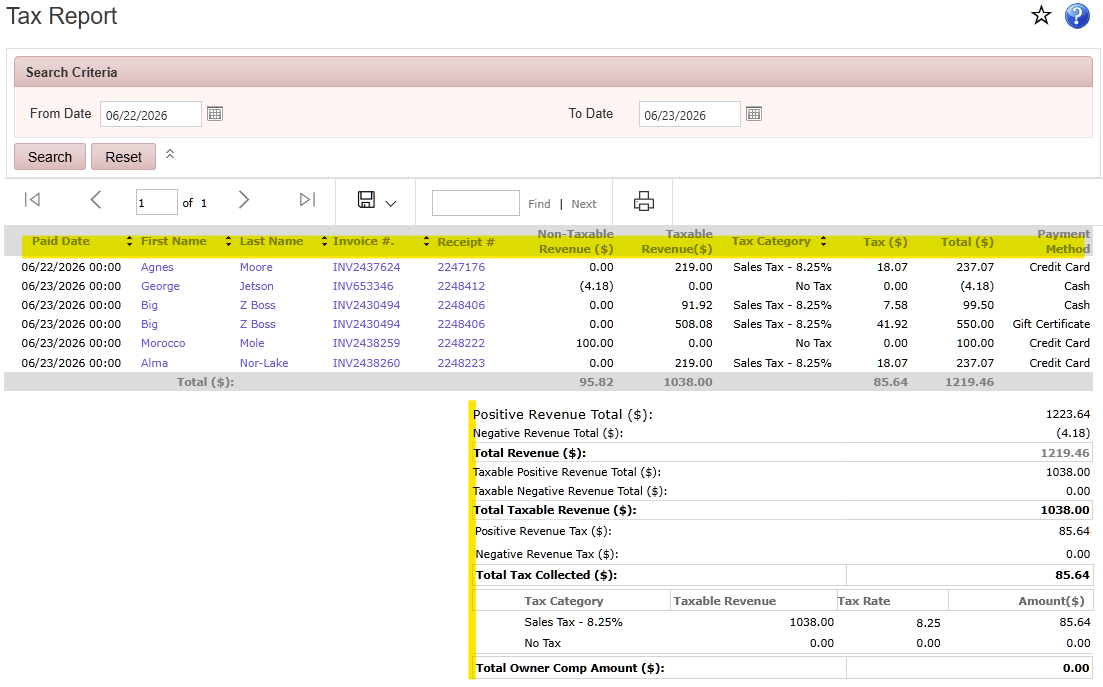
Reports > Finance Reports > Tax Report
Lists all transactions and displays the total amount of tax collected during the selected date range.
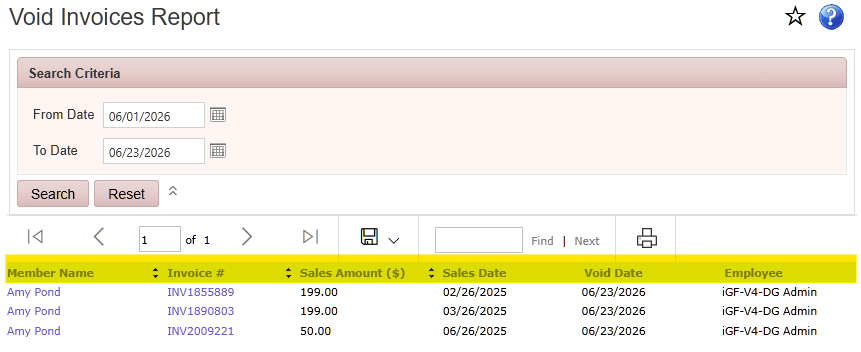
Reports > Finance Reports > Void Invoice Report
Displays invoices that were voided during the selected date range, including invoice details, member information, void amount, and the employee who processed the void.
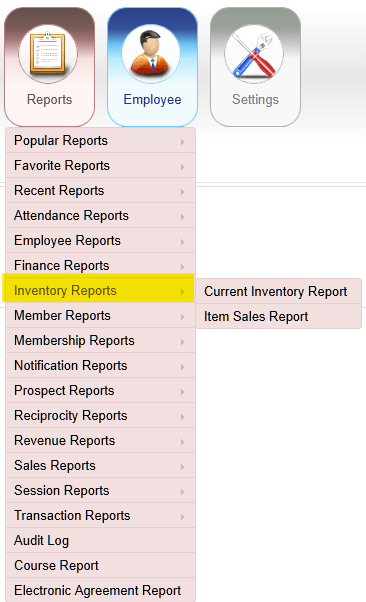
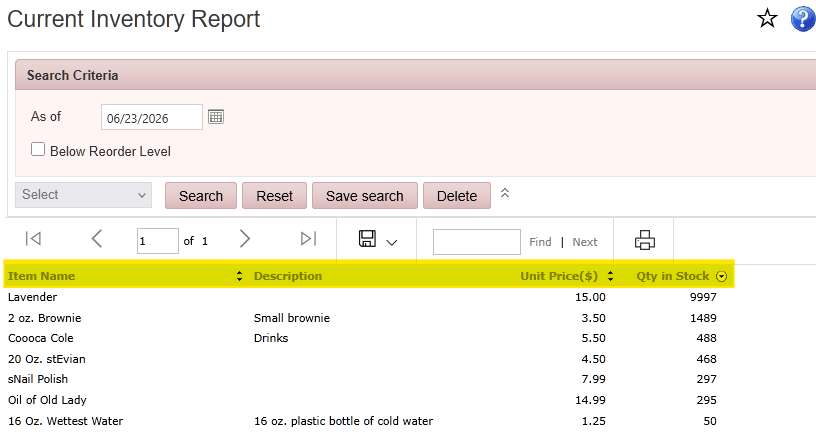
Reports > Inventory Reports > Current Inventory Report
Displays the current quantity of each inventory item as of the selected date. Available filter to see only items below order level when tracking quantities.
Reports > Inventory Reports > Item Sales Report
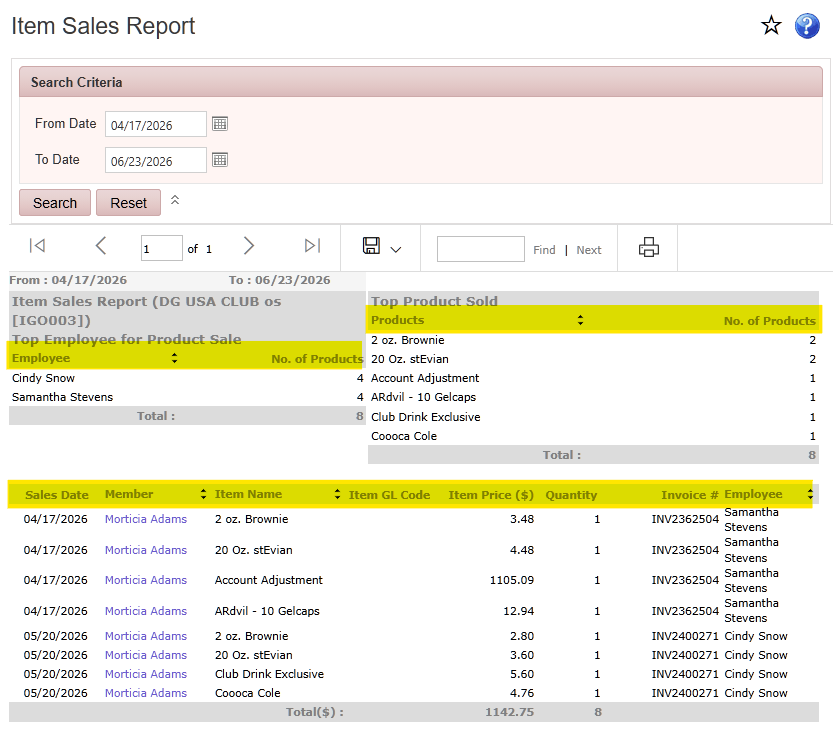
Displays product sales during the selected date range, including products sold, quantities, total sales amounts, employee sales, top-selling items, and the members who purchased each item.