Attributes allow grouping and identifying members for tracking, reporting, promotions, and other operational purposes.
Attributes can be used to categorize members based on club-specific needs.
Examples include:
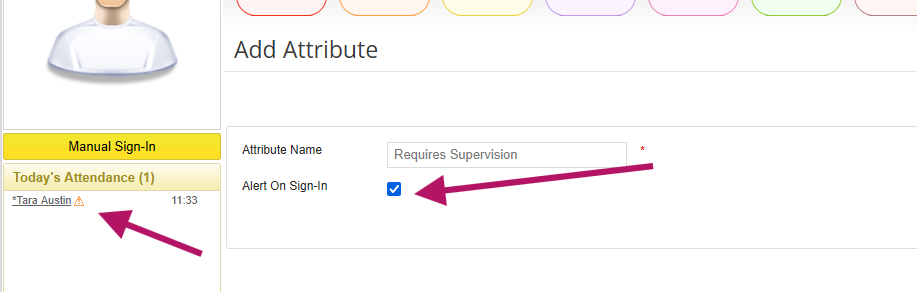
Attributes can also be configured to display an alert during member check-in. When the Alert on Sign-In option is enabled, an alert indicator ⚠️ appears next to the member's name in the Attendance Panel when the member checks in.
Note: By default, each club includes a Prevent Door Access attribute. If the club uses the integrated door access system, members assigned this attribute will not be granted door access regardless of their membership status.
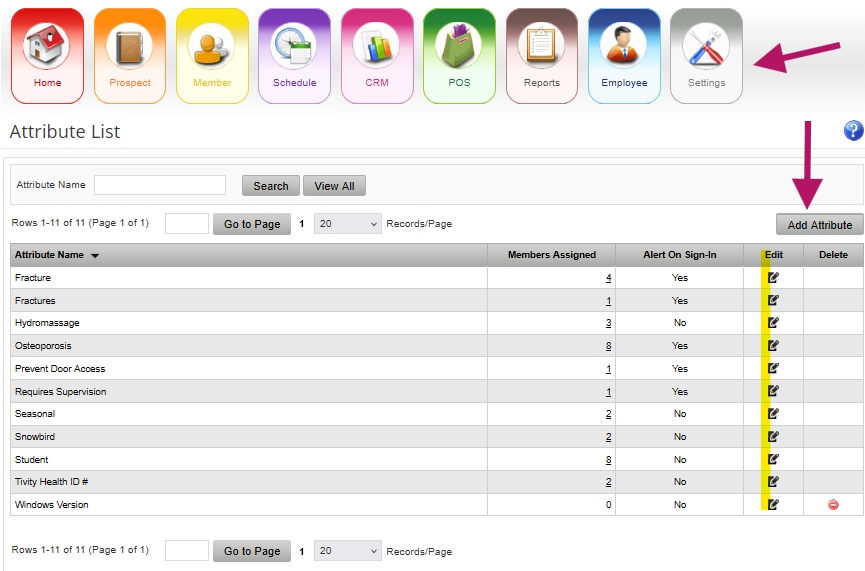
To create a new attribute:
When enabled, Alert on Sign-In displays an alert indicator ⚠️ next to the member's name in the Attendance Panel.
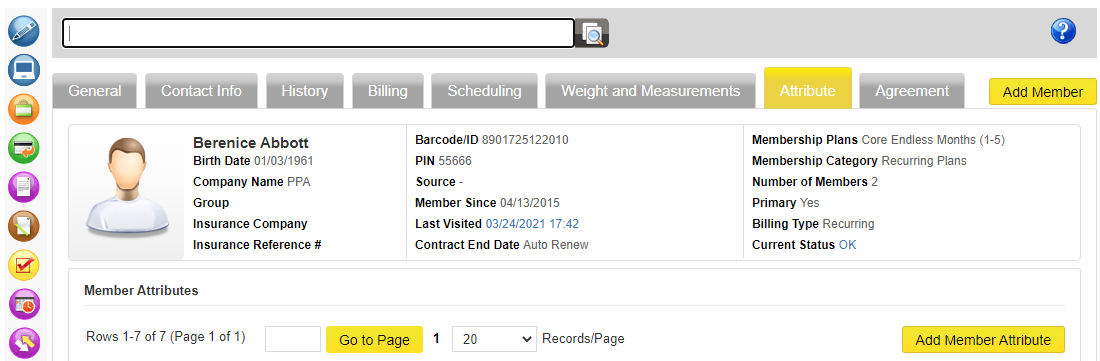
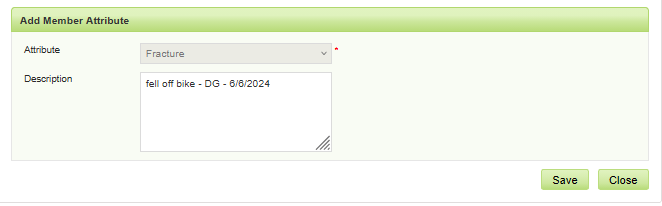
The Description field can be used to record additional information related to the attribute.
Examples include:
Several reports include an Attribute filter that can be used to limit results to members assigned a specific attribute.
To filter attendance results by attribute:
Only members assigned to the selected attribute will be included in the report results.
