FAQ #8 - OE – Changing Prices - Batch Change Member Dues
Before making any changes, pull Membership reports for reference:
Log in to Club > Reports > Membership Reports > Membership List Report > Includes all members with their next payment date and how much they pay, among other information. The report includes the current price all members are paying and can be used if there are people who need to be put at a different price.
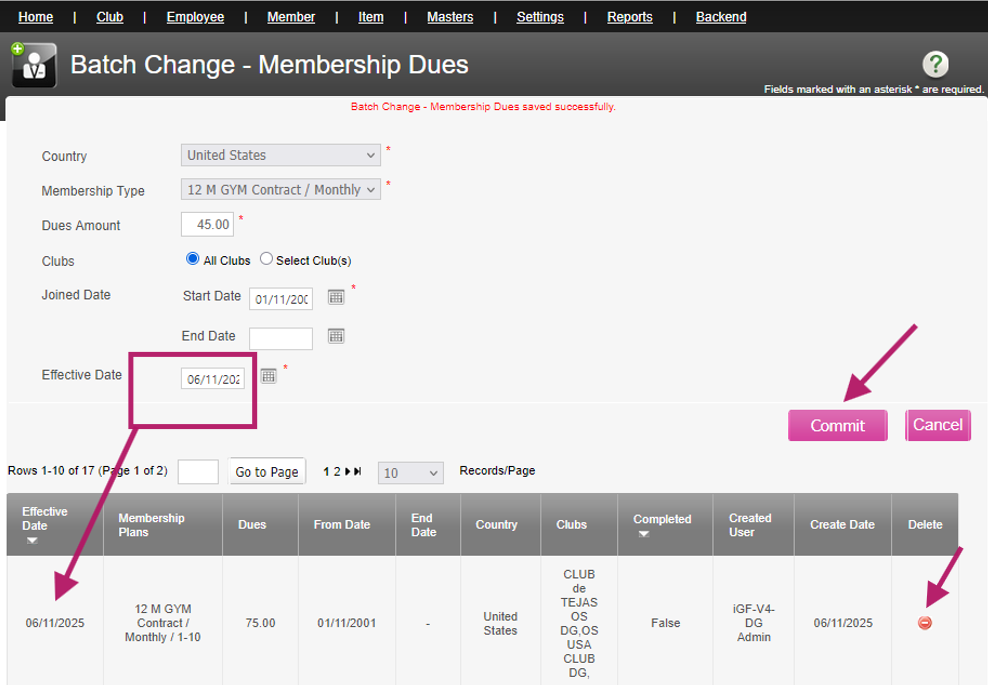
The batch change for dues will change the price for the selected membership for all existing members in the range selected.
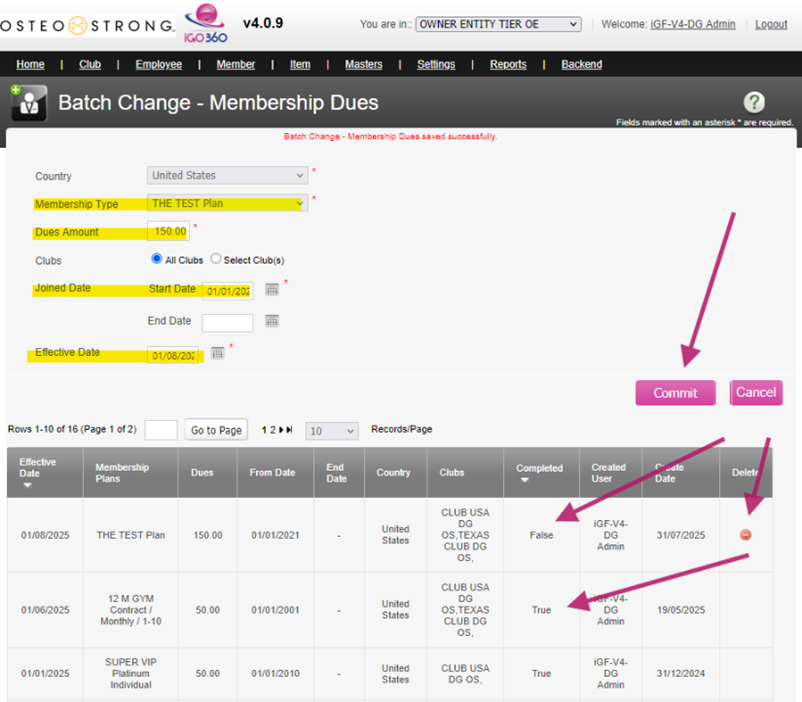
The price change will happen when the billing service runs on the selected effective date; the service runs twice daily.
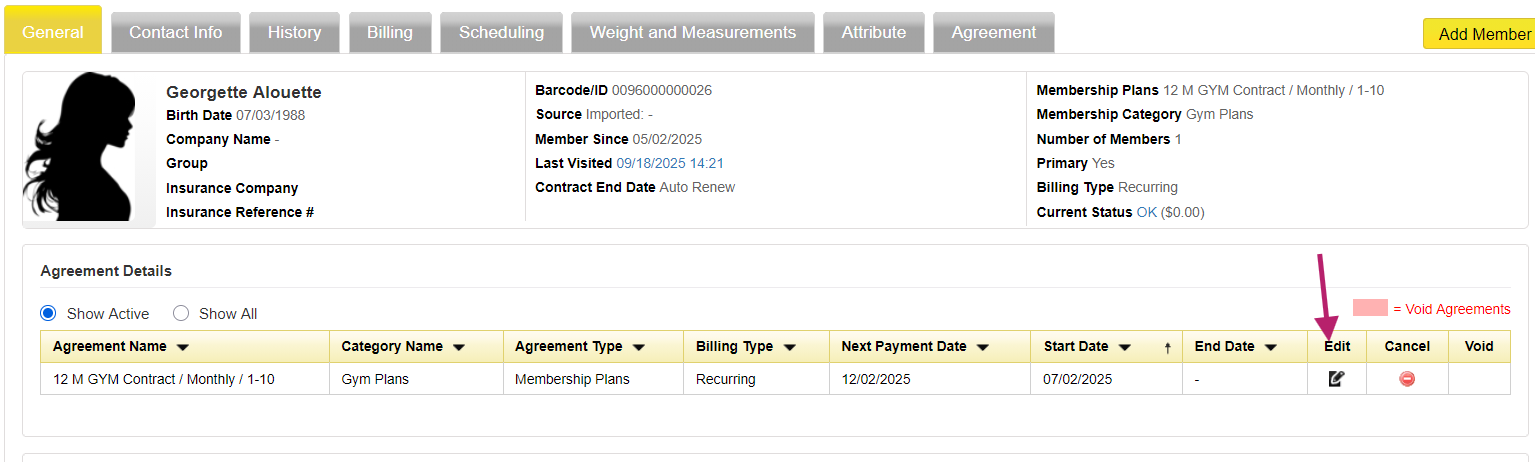
Each member’s agreement can be updated individually.
Log into Club > Member Record > General Tab > Edit the plan
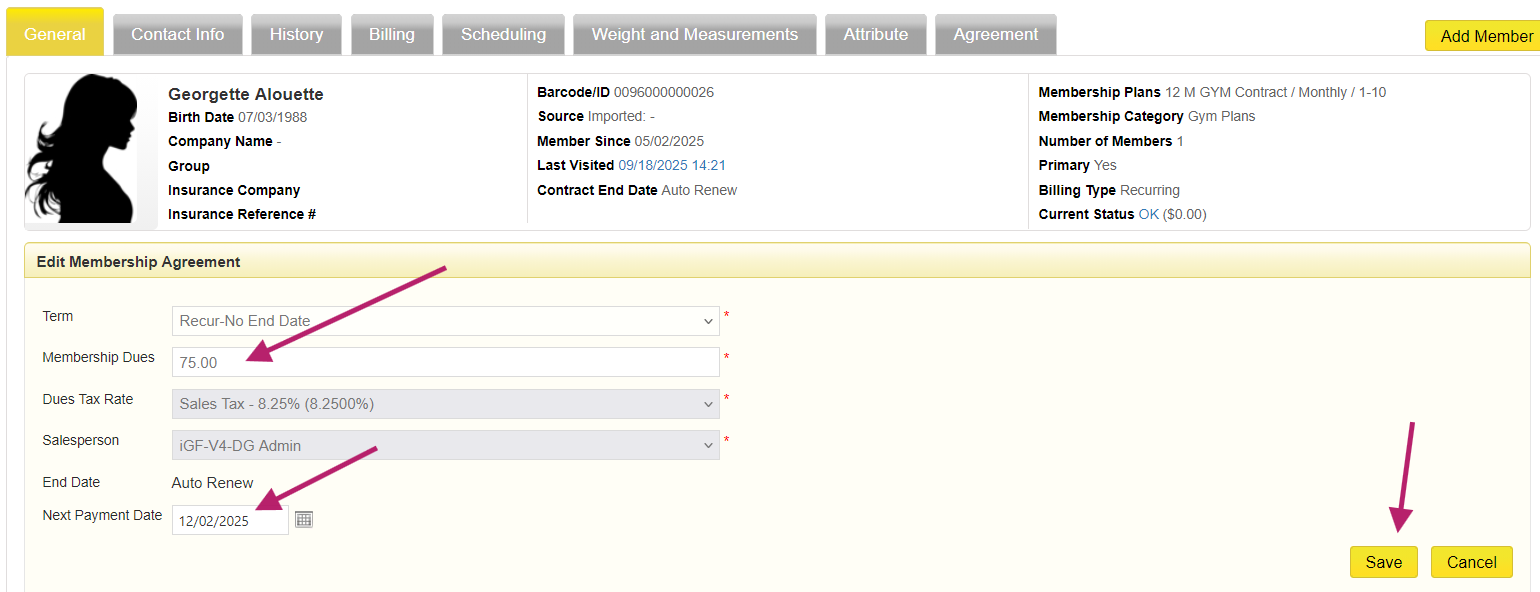
Update the amount > Verify next payment date > Save
Make sure to update the prices at club level for future sales.
Log in to Club Tier > Settings > Agreement > Membership Plan > Edit > Update price and Save.
**Please note this change affects only new signups or renewals, not existing member prices:
