FAQ #5 - iGo360 Utility Installation
This utility manages all peripheral hardware connected to iGo360 and must be installed on all computers that have RFID, Credit Card, or Barcode Scanner, Biometric scanner, or Door Access System connected to them. The utility installs as a startup item that is launched when the computer starts. Even after logging out of iGO360 and/or close the Welcome Screen, the 360 Utility can continue running to accept attendance scans and open the door, if applicable.
The peripheral hardware: credit card reader, scanners and RFID reader are themselves “Plug and Play”. Drivers are not need to be installed for them.
This utility must be installed by a Windows user with administrator permissions, and not compatible with Mac computers.
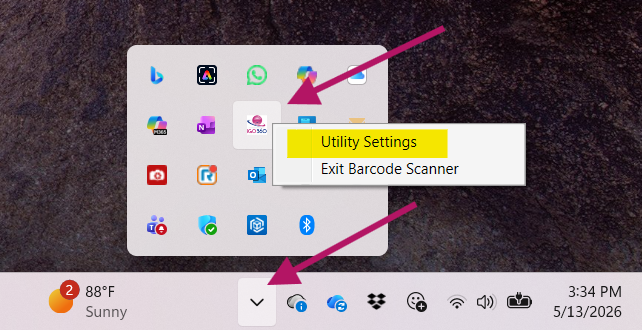
 Open the utility shortcut. After the utility is open, the window can be minimized to run in the background
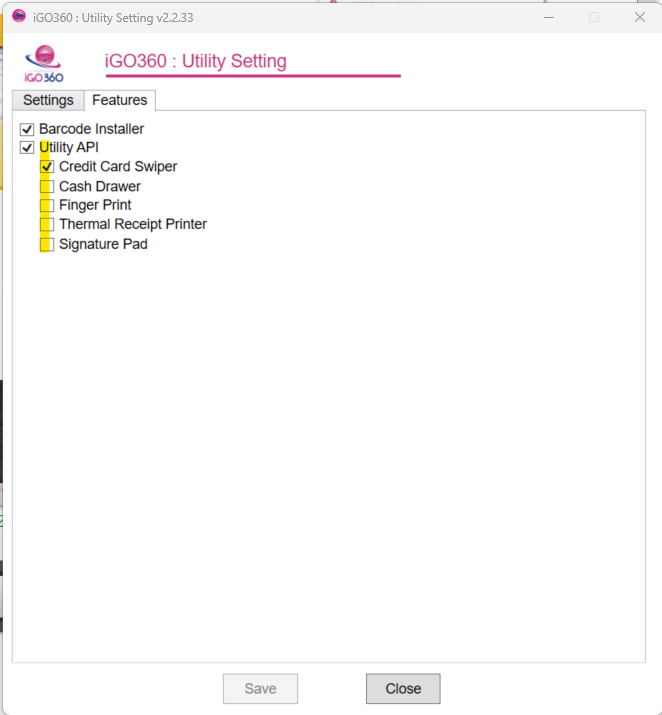
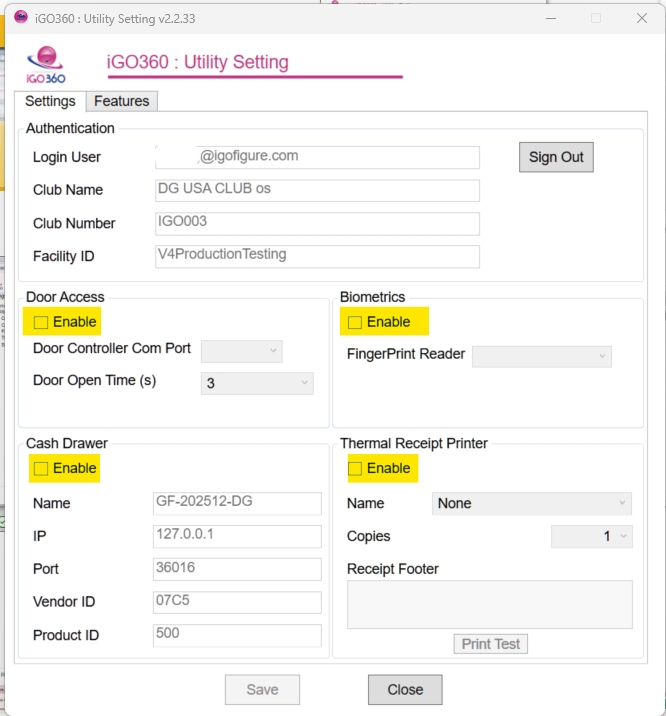
Enable features a credit card reader, door access system, cash drawer, biometrics, or thermal receipt printer, are installed.