FAQ #11 - Handling Terminations with 30 Day Notice
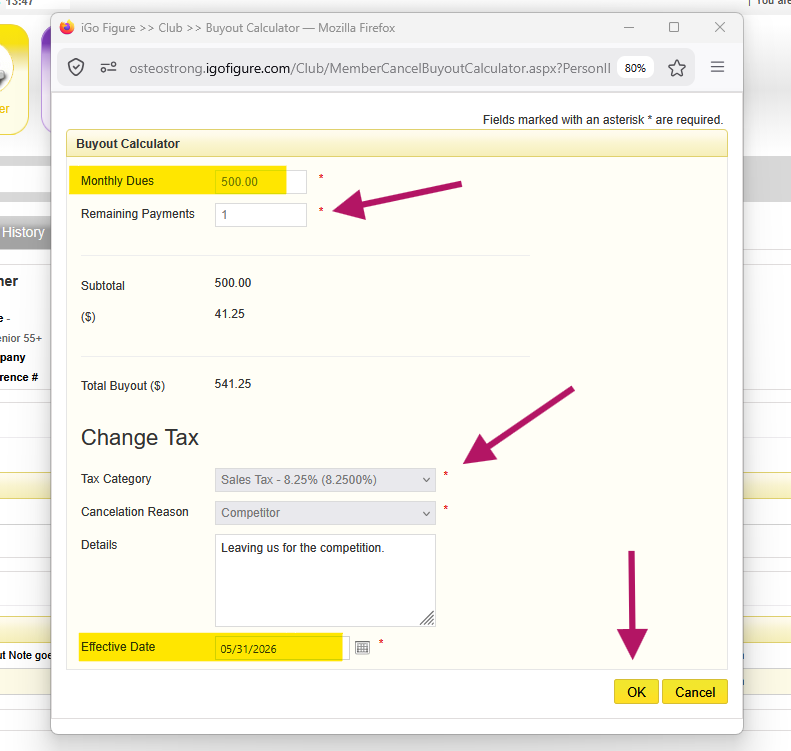
The system will require a final payment immediately. This is the last time receiving money from this member.
Calculate the pro-rated amount to charge the member. Keep in mind that this is the last payment, after this process, the next payment date is removed from the member’s record, and no other payments will be drafted in the future.
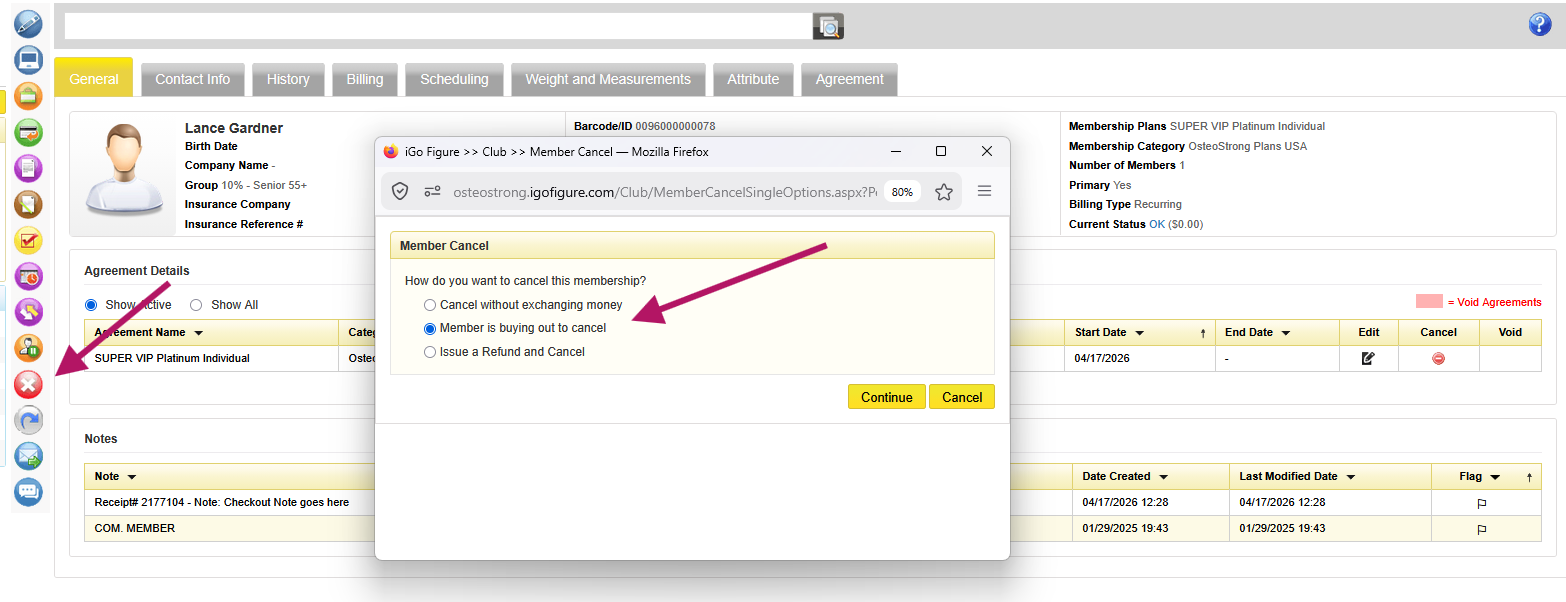
When entering a future termination with a final payment to be made,
 > Select option Member is Buying Out to Cancel